WordPress plugin — no coding required
Task Manager Pro – WordPress Project Management Plugin with Time Tracking & Team Collaboration
Project management that lives in WordPress
Kanban boards, workflow automation, time tracking, and team collaboration — running inside the WordPress admin you already use.
- Visual Kanban boards
- Workflow automation
- Time tracking on your server
- Public sharing & shortcodes
-
01
Visual Kanban boards
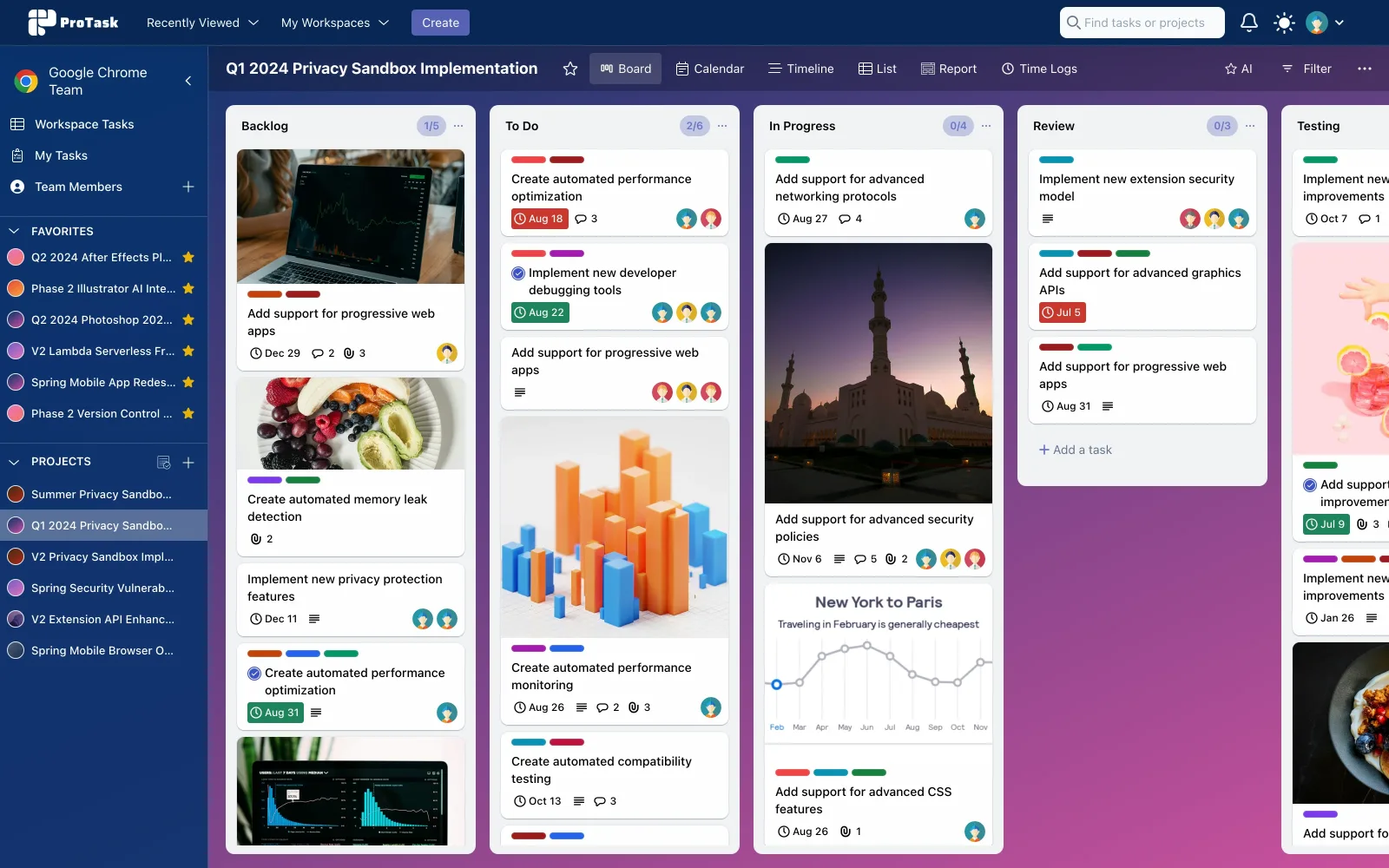
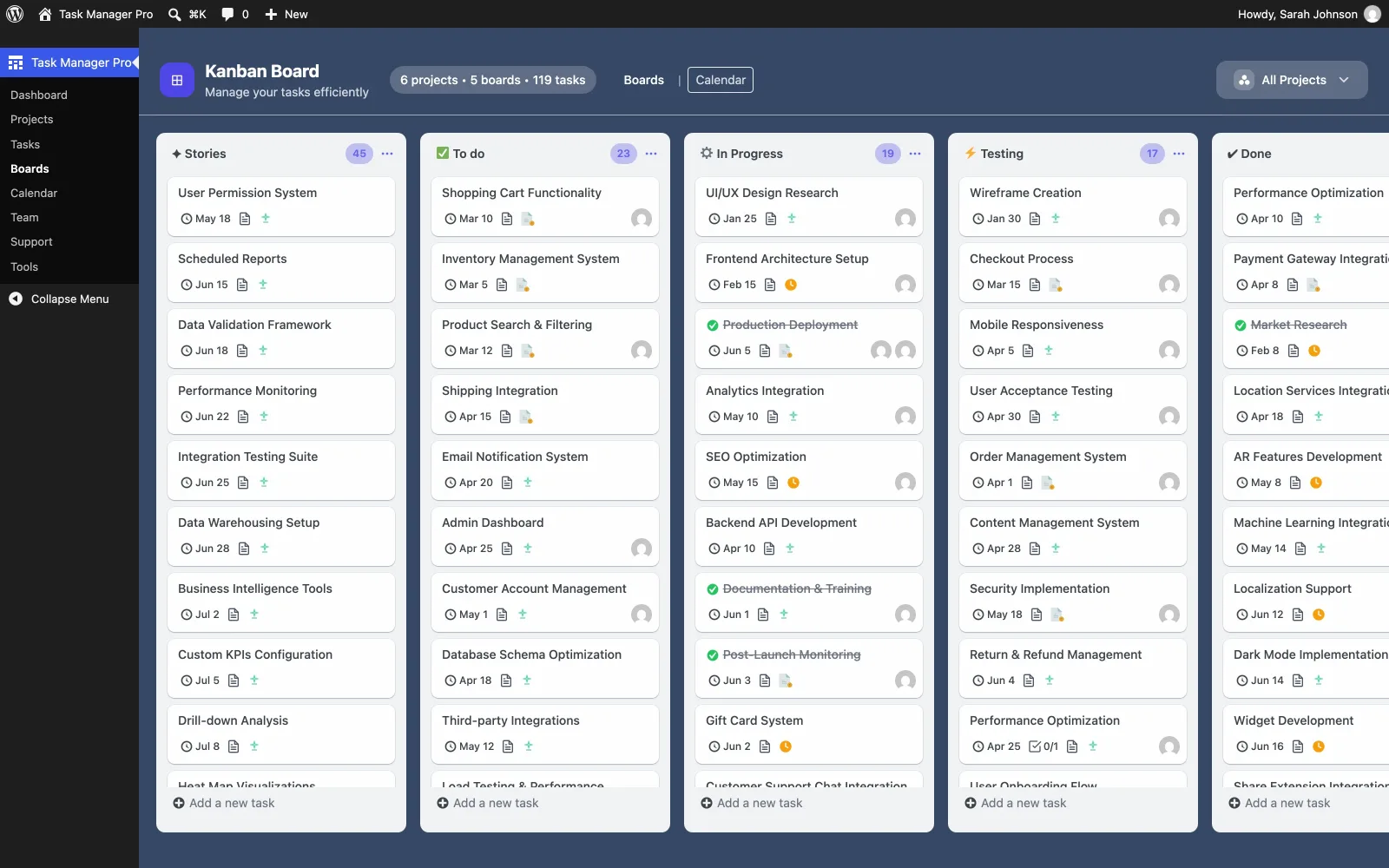
Drag tasks between custom columns. Color-coded priority and status so the board stays readable as work moves.
-
02
Intelligent automation
Rules that assign work, send email, and change status from 15+ triggers — deadline, status, assignee, and more.
-
03
Time tracking
One-click timers and client-ready reports, so billable hours stay attached to the task they belong to.
-
04
Client isolation
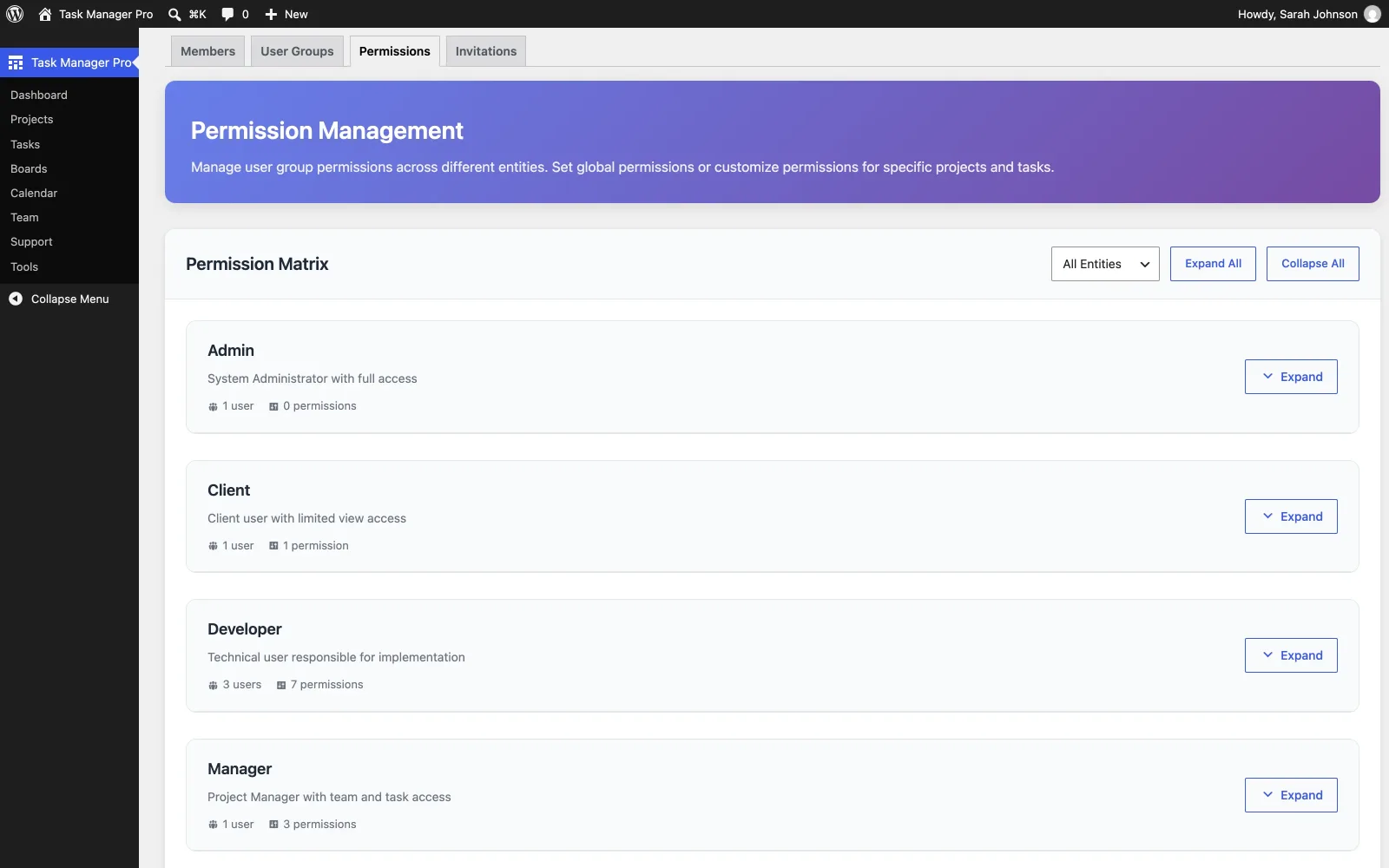
Granular permissions, followers, and data separation for agencies running more than one client in the same WordPress site.
See it in WordPress
The screens your team actually uses
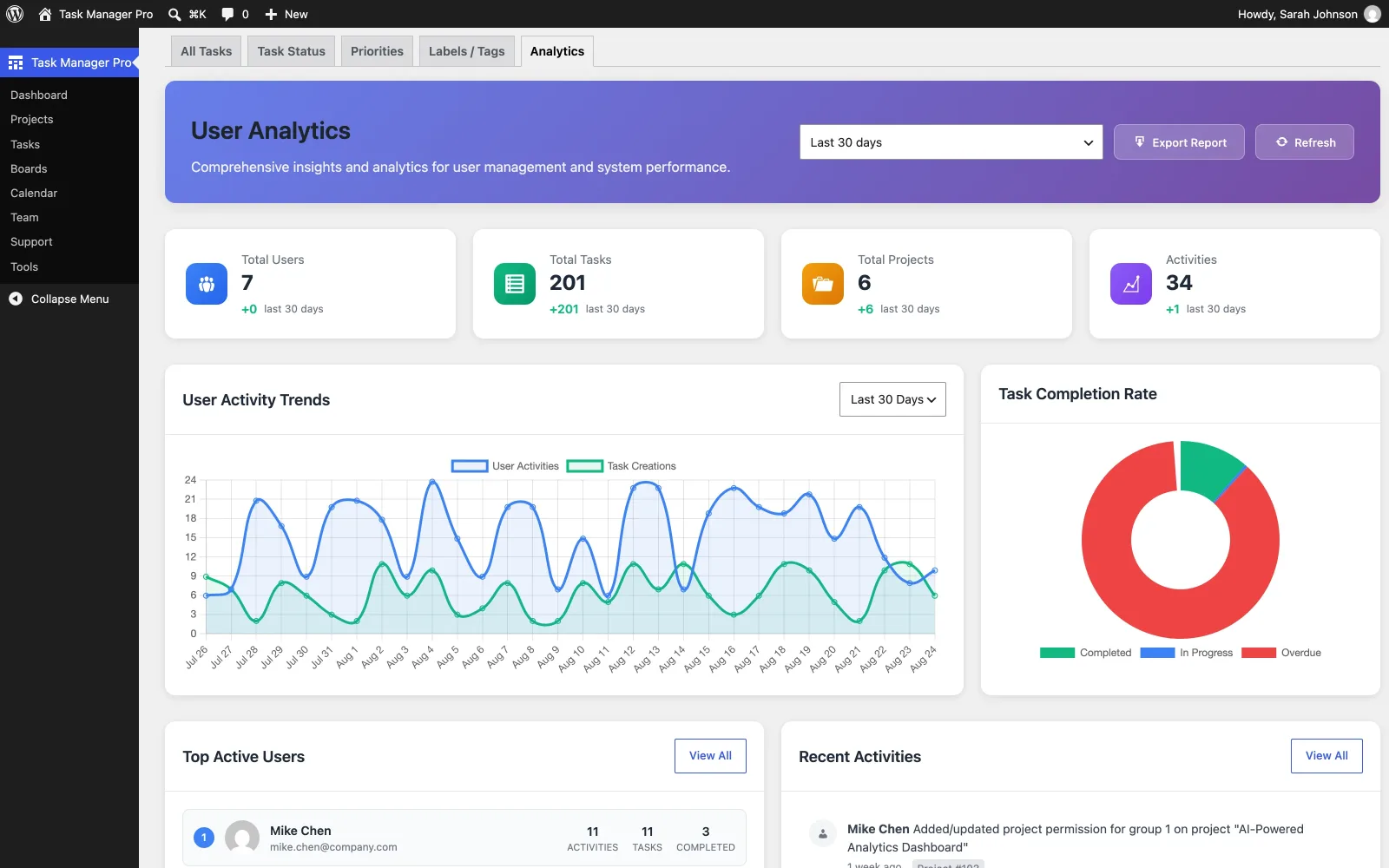
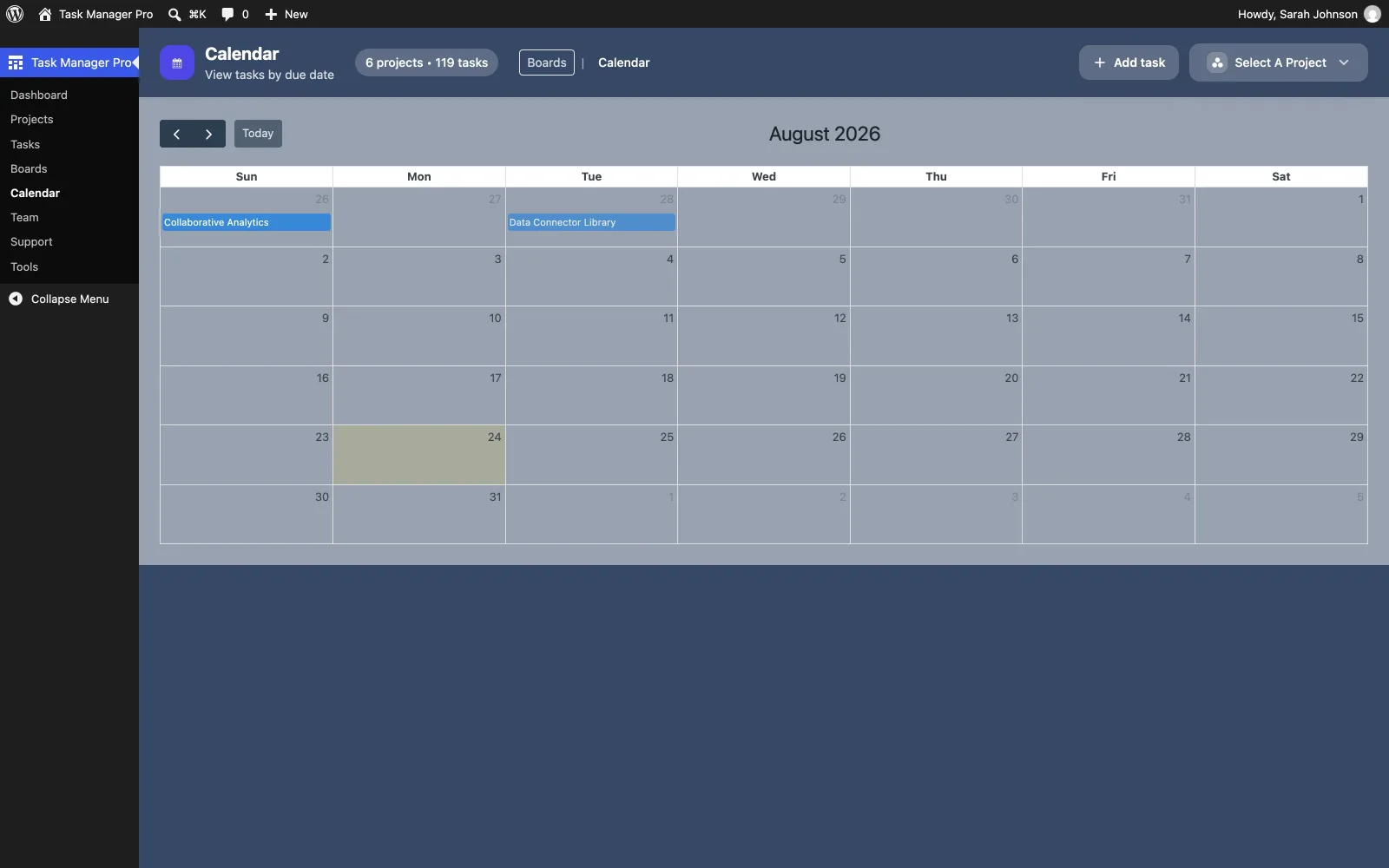
Kanban, calendar, team permissions, analytics, tickets, and shortcodes — all inside wp-admin, not a separate SaaS login.
Overview
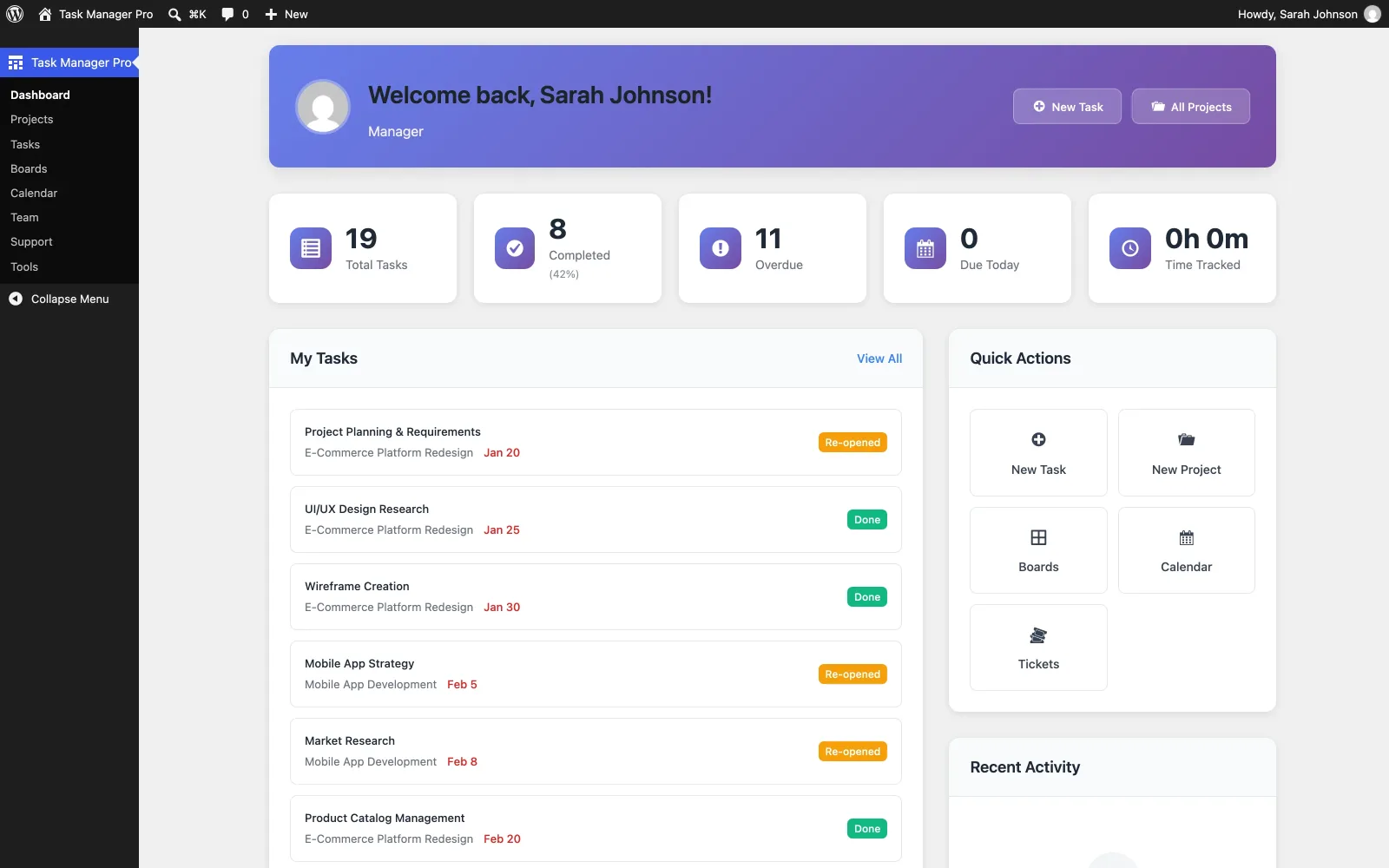
Dashboard
Project health at a glance
Task counts, overdue flags, and time tracked on one wp-admin screen, with quick actions for new tasks and projects.
Time management
Track billable hours on the task
Start and stop a timer from the task itself, then hand clients a report that matches the work they approved.
-
One-click timer
Start and stop tracking without opening a separate timesheet.
-
Client reports
Professional time reports you can send with an invoice.
-
Works on the phone
The admin UI is responsive, so timers still work on a tablet or phone.
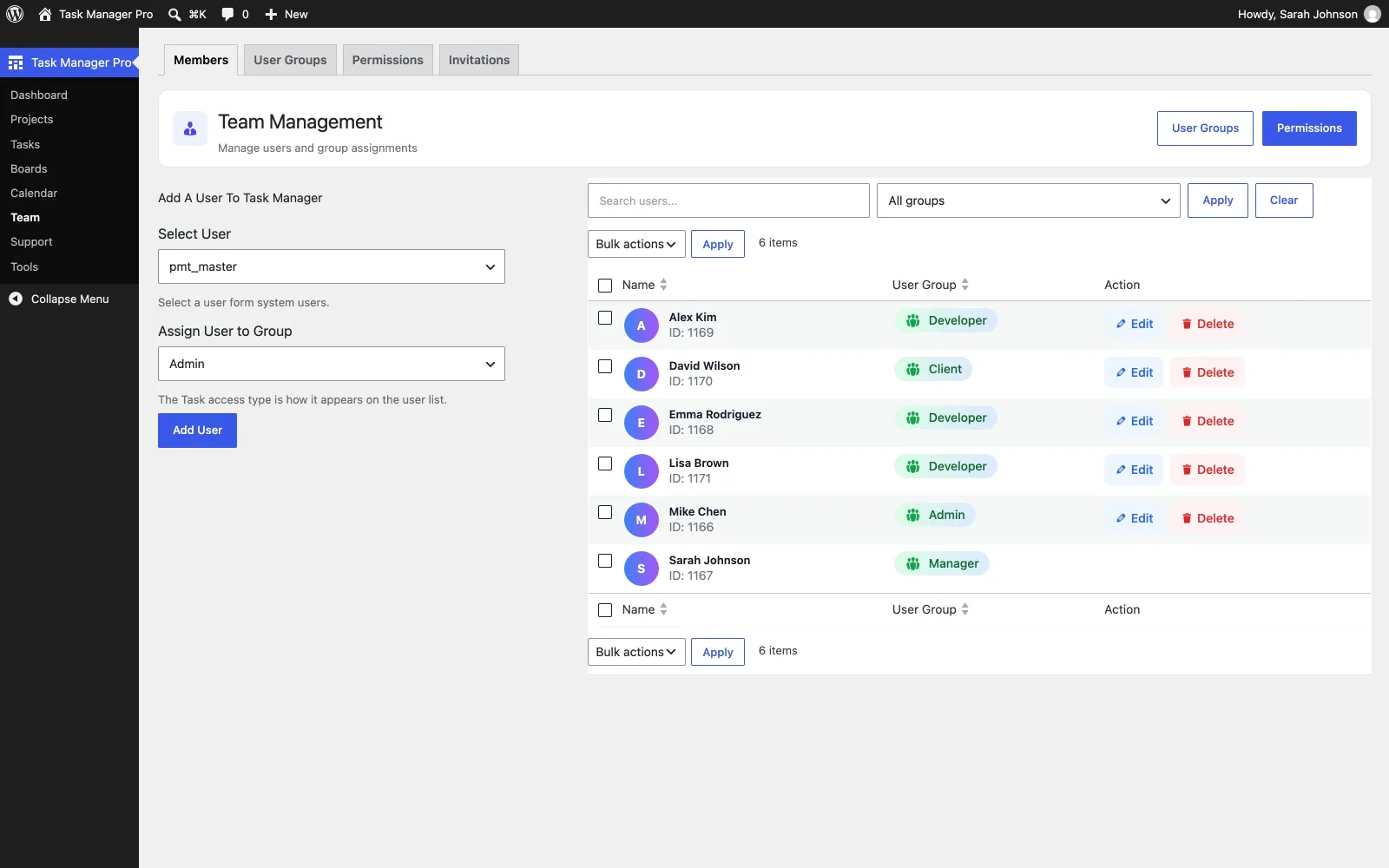
Collaboration
Keep the conversation on the work
Share files, mention teammates, and follow a full activity trail — without bouncing to Slack for every status change.
-
Task and project updates
See what moved, who changed it, and when.
-
File sharing
Documents stay attached to the task they belong to.
-
Activity feed
An audit trail of actions across the project.
Sharing
Public URLs and shortcodes
Share a task or board with a client who should not need a WordPress login. Embed boards, lists, and overviews anywhere on the site.
-
Public task URLs
Shareable links with custom slugs, such as /task/demo-task.
-
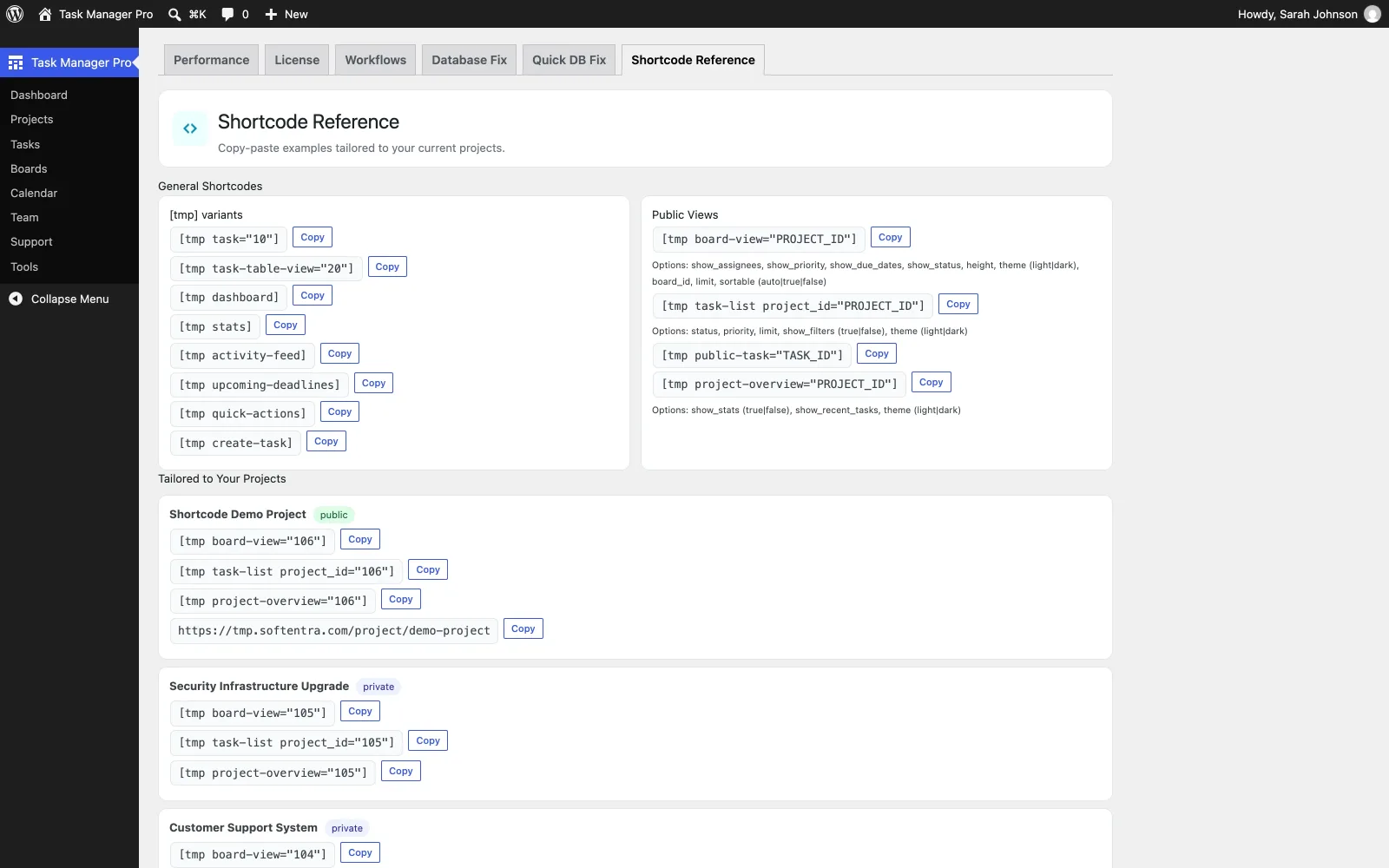
Shortcodes
Board, list, single task, and project overview embeds.
-
Client-facing views
Dashboards that do not require a user account.
-
Copy-paste reference
A dedicated admin page lists every shortcode with its options, plus snippets pre-filled for your live projects.
Inside the plugin
What you get in wp-admin
The same shape of work as a project SaaS, installed as a plugin and stored in your own WordPress database.
-
Visual Kanban
Unlimited custom stages, drag-and-drop, and color-coded priority.
-
Automation
15+ trigger conditions, email notifications, and workflow actions.
-
Team collaboration
Updates, file sharing, and an activity feed on the task.
-
Time tracking
One-click timers and client-ready reports.
-
Permissions
Cached permission checks, followers, and client data isolation.
-
Analytics
Project health, velocity metrics, and CSV export.
-
Public sharing
Public URLs and shortcodes for boards, lists, and overviews.
-
Admin navigation
Five menus: Dashboard, Work, Team, Support, Settings.
-
Support tickets
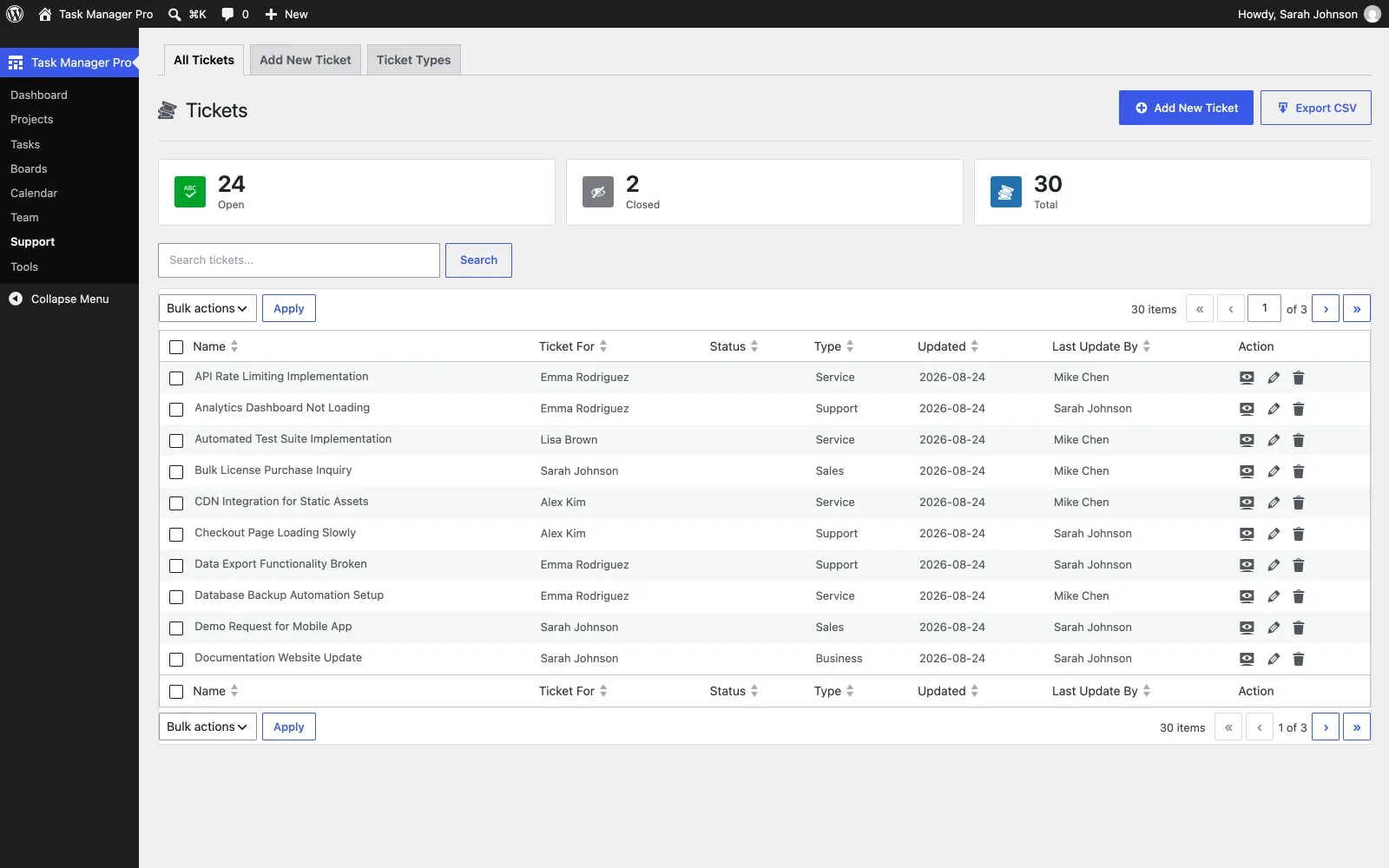
Create, assign, prioritize, and export tickets from the same admin.
Also worth knowing
-
Responsive admin
Usable on desktop, tablet, and phone — not a separate mobile app.
-
Theme-safe styling
The plugin uses its own UI so it does not restyle your public theme.
-
Import / export
CSV import and export for projects and tasks when you migrate.
-
Your data stays put
Projects live in WordPress. There is no third-party project cloud.
A plugin, not another subscription
- Installs as a plugin
- WordPress
- Regular license
- $49
- Updates & support
- 6 months
- Data location
- Your server
Questions
Before you install
Straight answers from how the plugin actually works — not a SaaS comparison sheet.
What is Task Manager Pro?
A WordPress plugin that turns the site into a project management platform: Kanban boards, automated workflows, time tracking, team collaboration, and analytics — all in wp-admin.
Do I need coding skills?
No. You install it like any other plugin and work from the WordPress admin. Customizing PHP is optional, not required.
Will it work with my theme?
It follows WordPress coding standards and uses its own admin styling, so it should not restyle the public theme. It requires WordPress 5.8+ and PHP 7.4+.
How does support work?
A regular license includes six months of updates and support through this store. Documentation and a live demo are available before you buy. Support is ticket-based, not 24/7 phone coverage.
Can I migrate from another tool?
CSV import and export cover projects and tasks. Plan a mapping pass if you are coming from another product — there is no one-click Asana/Trello importer.
Where does my data live?
In your WordPress database, on the server you already host. The plugin does not move project data to a third-party cloud.
What did recent updates add?
Permission caching for faster checks on larger teams, public visibility (shareable URLs and shortcodes), a five-menu admin (Dashboard, Work, Team, Support, Settings), and batch permission checks.
Also included
- Drag-and-drop Kanban boards with custom columns
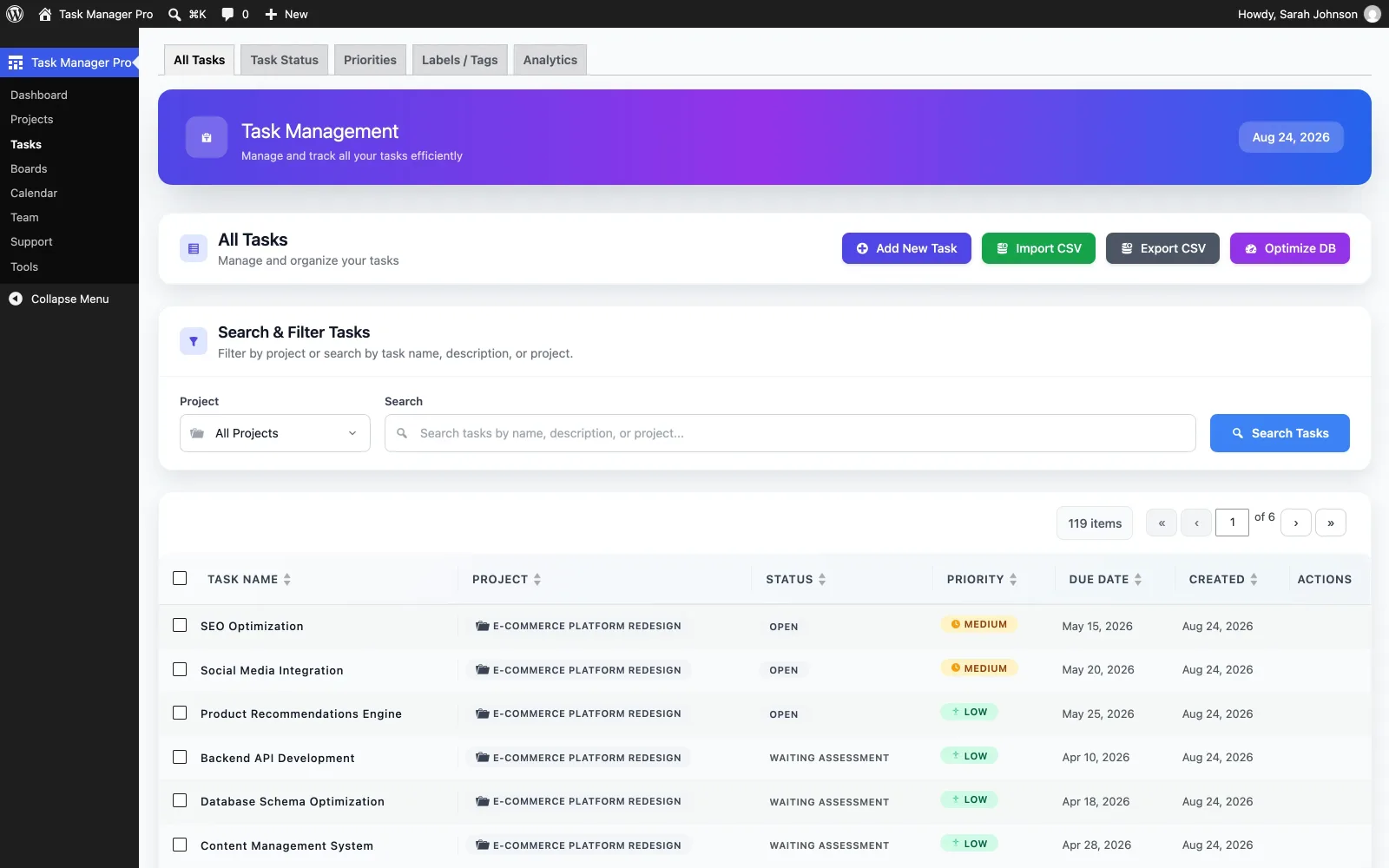
- Calendar view of task due dates across every project
- Workflow automation with 15+ trigger conditions
- One-click timers and client time reports
- Task comments, file sharing, and activity feed
- Role-based permission matrix, followers, and client isolation across Admin, Manager, Developer, and Client groups
- Public task URLs, board/list/overview shortcodes, and a live shortcode reference with copy-paste snippets
- Analytics dashboards with CSV export
- Integrated support tickets, typed and prioritized, with assignment
- Five-menu admin: Dashboard, Work, Team, Support, Settings
- CSV import/export for projects and tasks
Requirements
WordPress 5.8+, PHP 7.4+. Installs as a standard WordPress plugin — no separate server or build step required.
Version history
-
WordPress 7.0 & PHP 8.3 compatibility — Tested on WordPress 7.0.4 and PHP 8.3+, with improved support for modern hosting environments. Admin page stability — Fixed crashes and errors on Tasks, Projects, Configuration, and Dashboard pages. Improved performance — Bundled major JavaScript/CSS assets into the plugin, removing CDN dependencies and improving loading speed. Better script handling — Improved admin script loading order and reduced potential theme/plugin conflicts. Plugin initialization — Improved and cleaned up the plugin startup process. Database updates — Fixed issues with database update and migration processes. Translation support — Improved plugin translation compatibility and handling. Task popup improvements — Improved task popup behavior across Tasks, Boards, and Calendar.
Get the plugin
Install Task Manager Pro on your WordPress site
A one-time license, instant download, and six months of updates and support. Try the live demo in wp-admin first if you want to click through the boards.
- Instant download after purchase
- Regular and extended licenses
- 6 months of updates & support