Self-hosted booking · three editions
ProSchedule – Online Appointment Booking Software for Service Businesses
A SaaS marketplace, one practice, or a solo calendar
Self-hosted booking you can run three ways: a SaaS marketplace, one organization, or a single professional calendar — switch later in Settings.
- Event types & public booking
- Stripe / PayPal on the appointment
- Google & Outlook sync
- Optional multi-tenant SaaS layer
-
01
SaaS Platform
Resell scheduling. Workspaces, Stripe plans, usage limits, public registration, and a professional directory.
-
02
Organization
One clinic or company: staff calendars, contacts, notes. No marketplace billing.
-
03
Personal
One professional, a /u/username page, reminders, and calendar sync. No teams.
-
04
In every edition
Event types, availability, timezone-aware booking, and optional appointment payments.
In the product
The calendar you run, not a Calendly tab
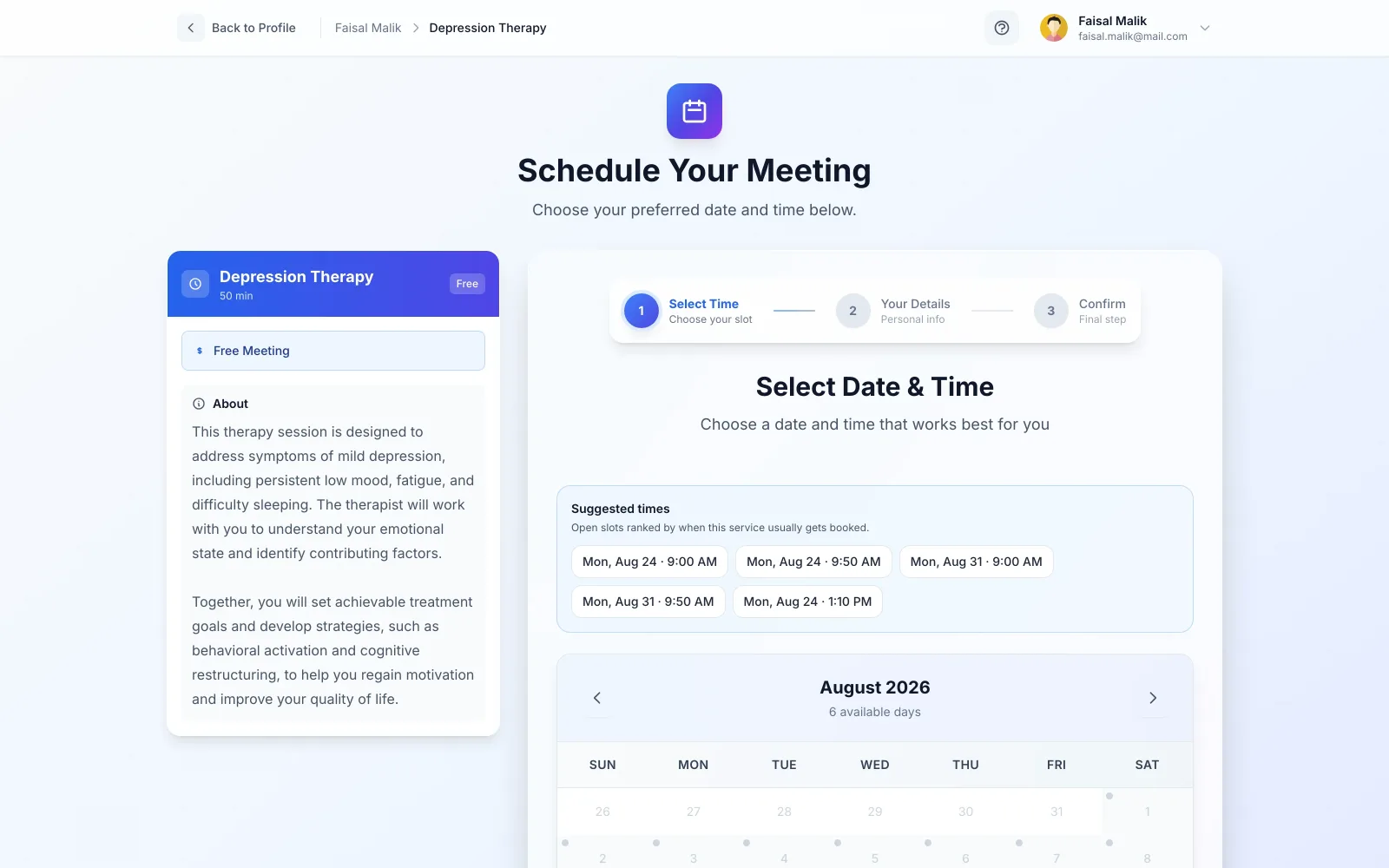
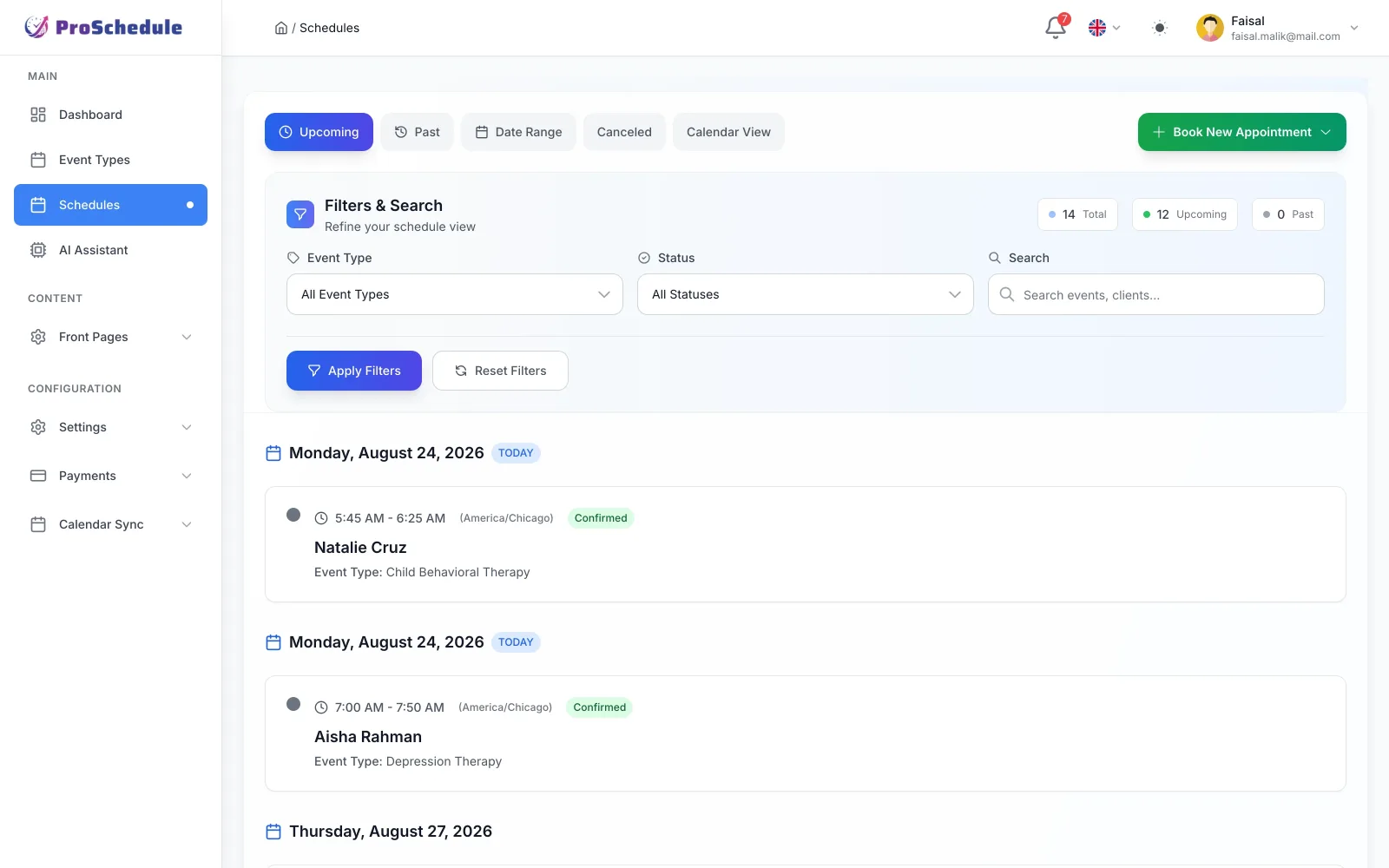
Screens straight from the product — the admin schedule, the client-facing booking page, and the tools that only show up in SaaS Platform.
Overview
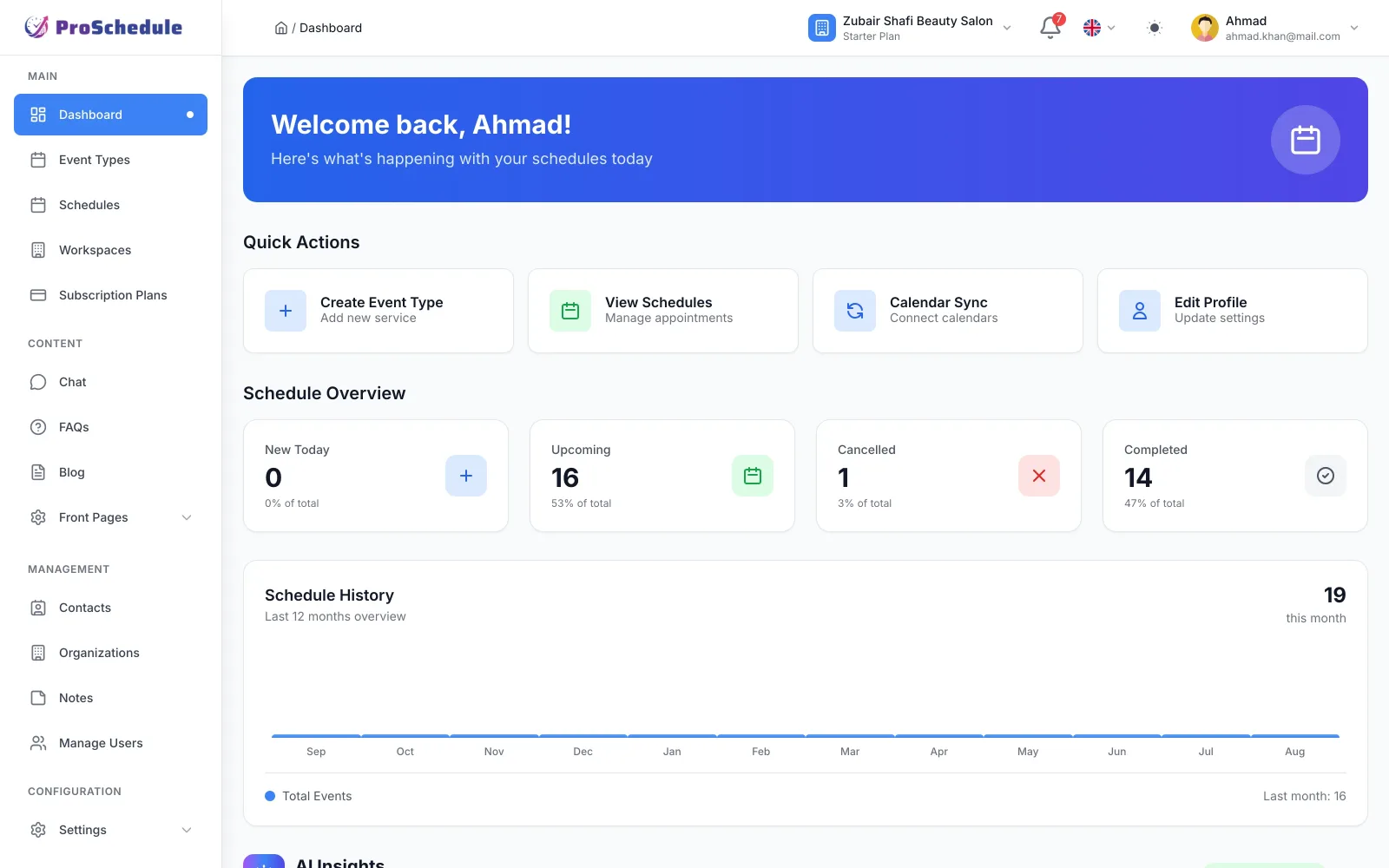
Dashboard
What is booked, what is due
Upcoming, cancelled, and completed counts plus a 12-month schedule history chart.
Editions
What turns on — and what stays hidden
Pick in the installer. Change later in Settings. Switching hides menus; it does not delete data. You cannot leave SaaS while paid Stripe subscriptions are still active.
-
Event types & public booking
SaaS, Organization, and Personal: yes.
-
Appointment payments
All editions: yes.
-
Workspaces & Stripe plans
SaaS: yes. Organization and Personal: hidden.
-
Staff / team users
SaaS and Organization: yes. Personal: hidden.
-
Contacts & notes
SaaS and Organization: yes. Personal: hidden.
-
Chat, blog, FAQ
SaaS and Organization: optional. Personal: hidden.
Availability
Hours, exceptions, and the client’s timezone
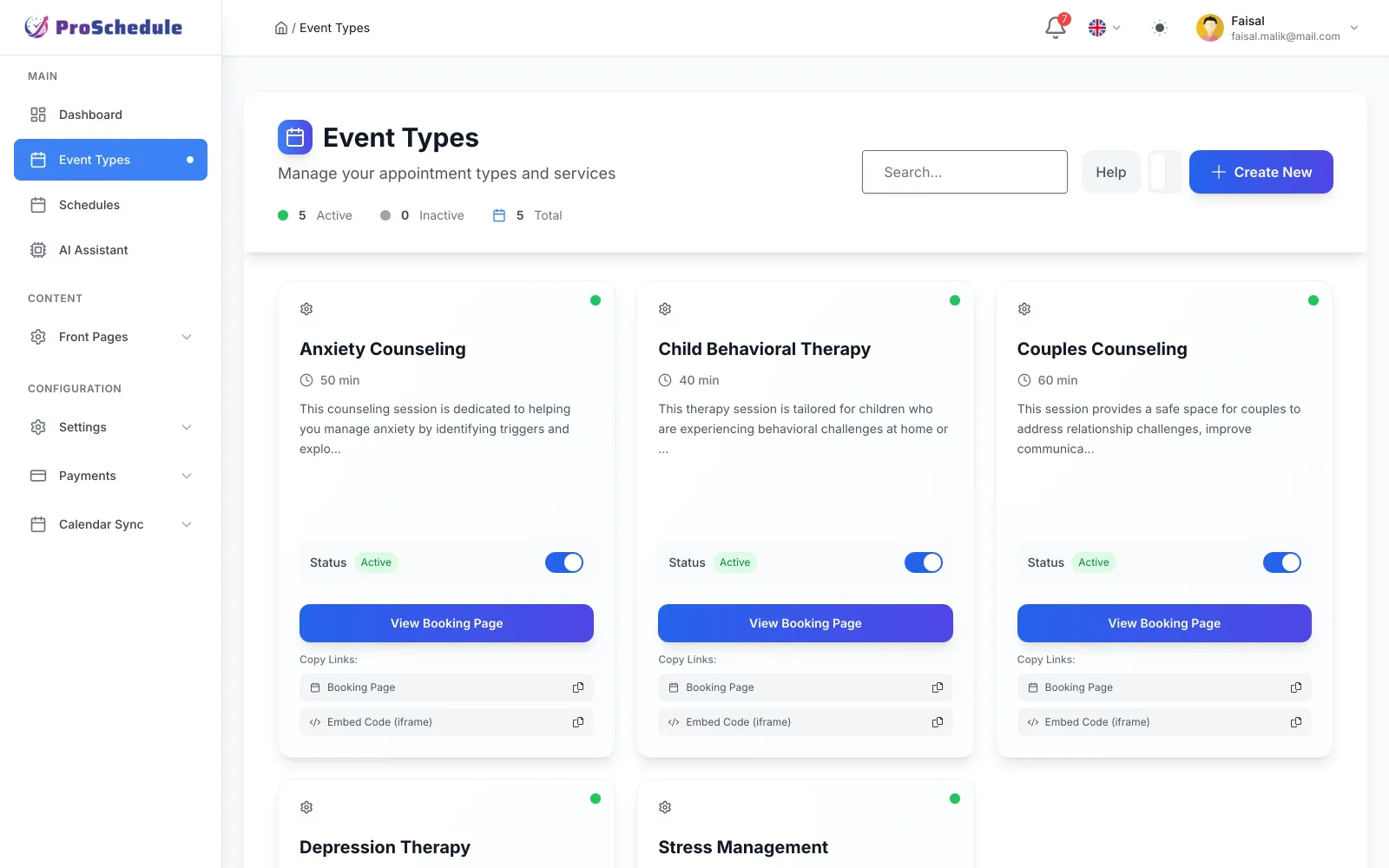
Weekly hours or date-specific rules. Clients see slots in their timezone. One-on-one or group events with custom questions.
-
Event types
Duration, location, and pricing per service.
-
Timezones
Their clock, your calendar.
-
Rules
Recurring weeks plus one-off dates.
SaaS Platform edition
Workspaces, plans, and usage — only if you resell
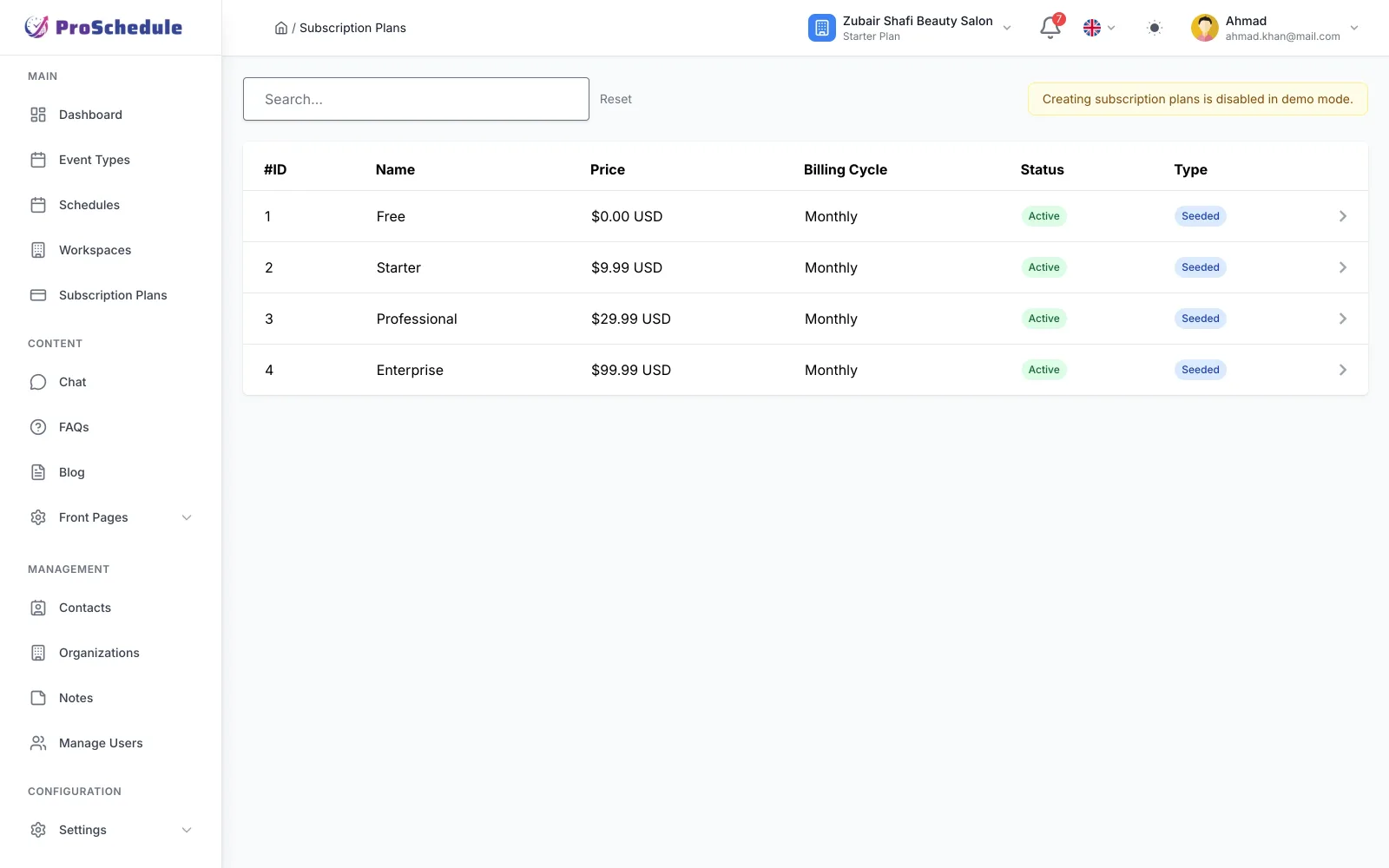
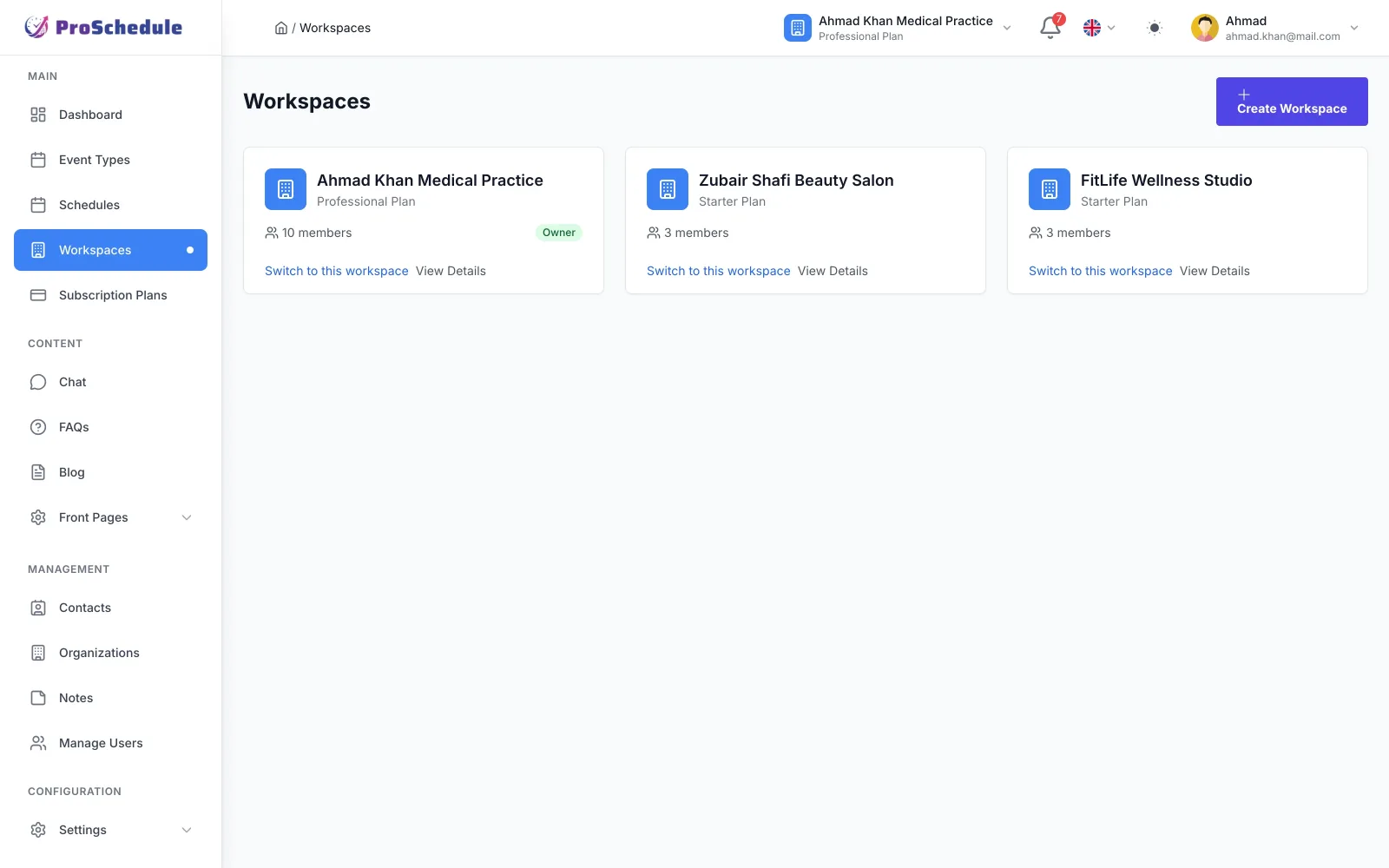
These menus turn on for SaaS Platform. Organization and Personal hide them so a clinic is not shown marketplace billing.
-
Workspaces
Isolated members, data, and settings; switch between them.
-
Stripe subscriptions
Checkout, renewals, invoices, webhooks, grace until the period ends.
-
Usage limits
Cap users, appointments, and event types per plan.
Optional extras
-
Calendar sync
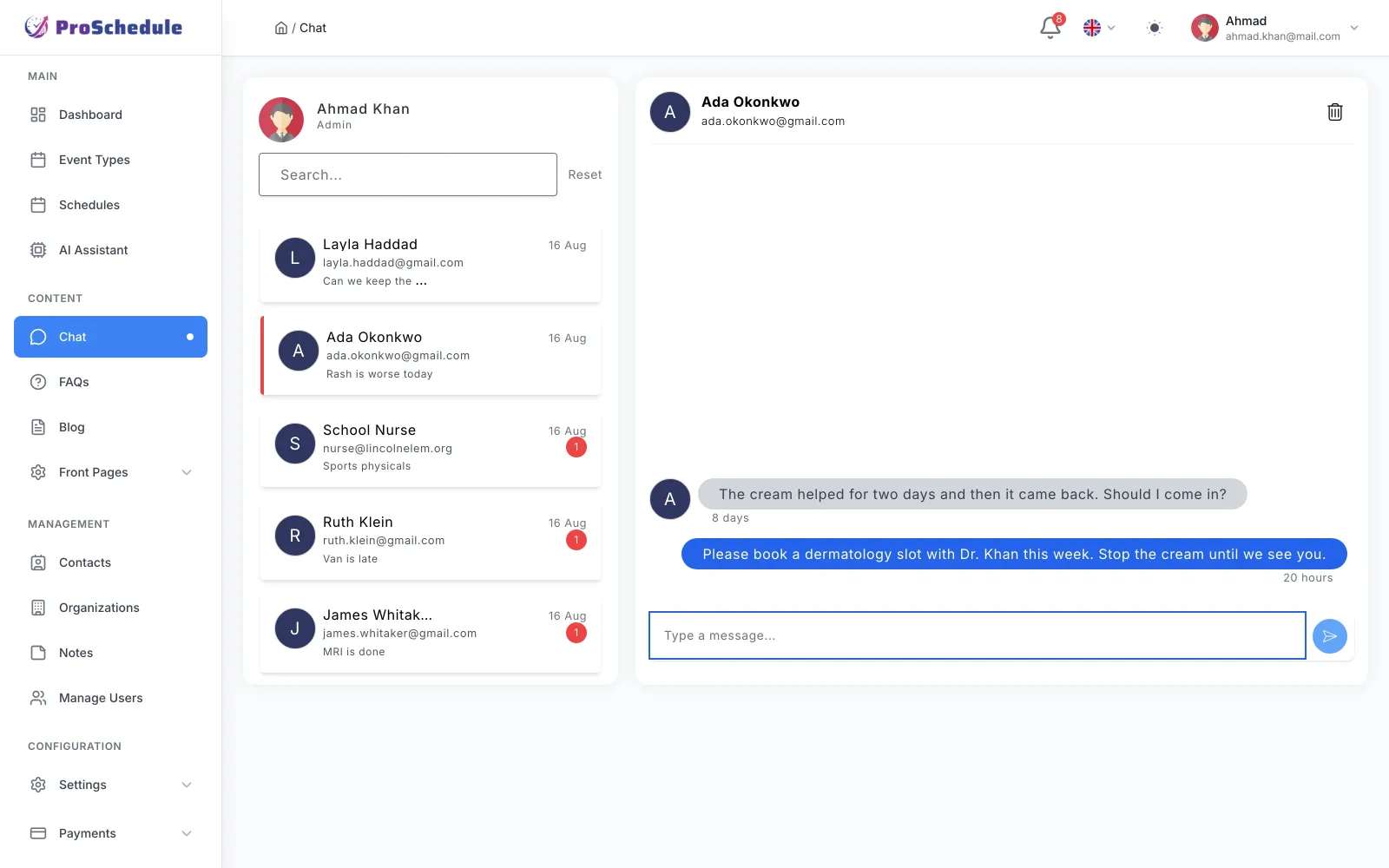
Two-way Google and Outlook so you do not double-book.
-
AI assistant
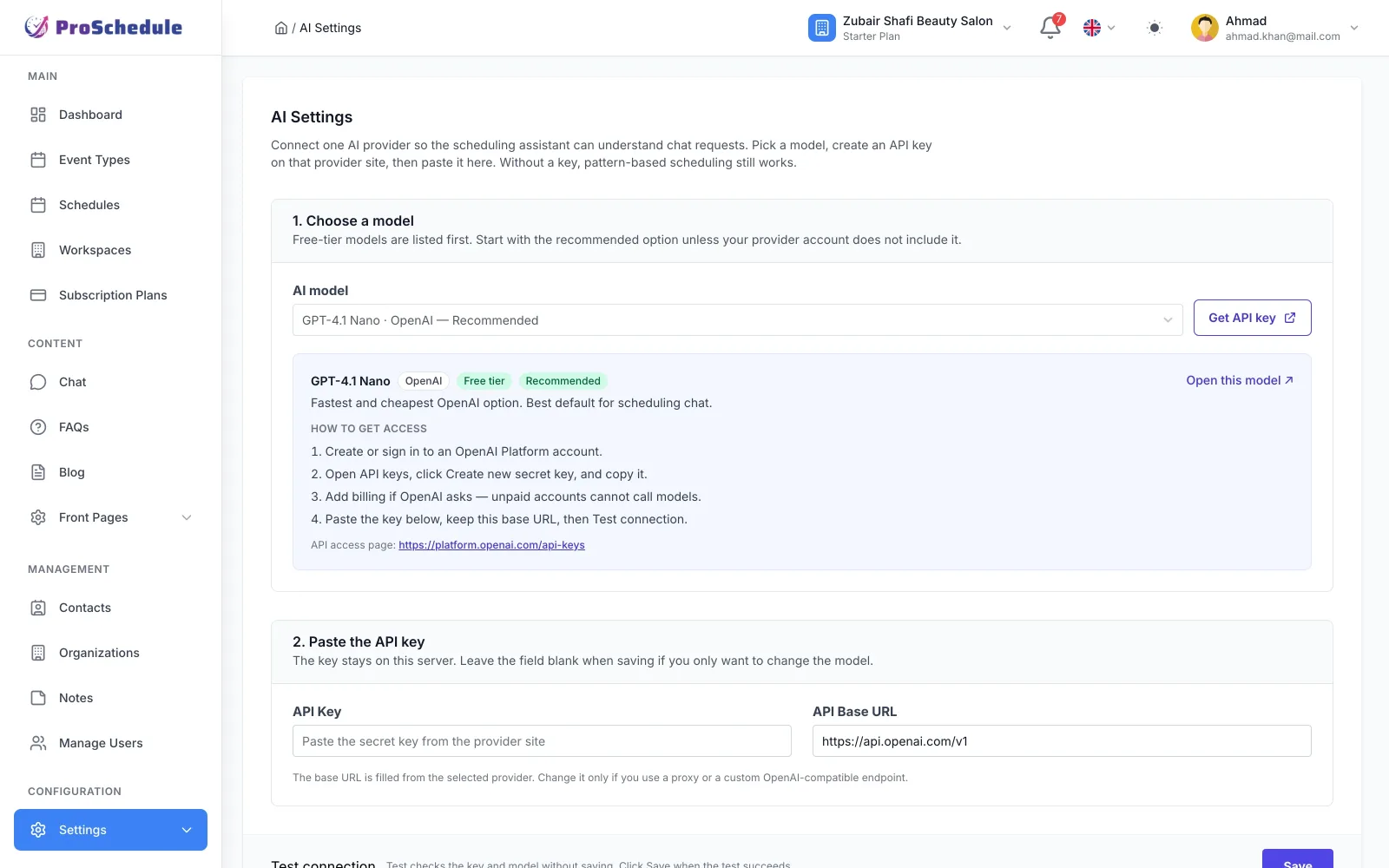
Pick a model and paste your own API key. Pattern-based scheduling works fine without one.
-
Public pages
Blog, custom pages, and FAQ in SaaS and Organization.
-
Notifications
Email and in-app for booking events.
Questions
Before you install
Do I have to run it as a SaaS?
No. Install as Organization or Personal if you only need one practice or one calendar. SaaS Platform is for agencies that resell workspaces.
Can I change edition later?
Yes, from Settings, without reinstalling. Menus hide; data stays. You cannot leave SaaS while paid Stripe subscriptions are still active.
Is this a lifetime license with unlimited updates?
You buy the source once here. This store includes six months of updates and ticket support — not unlimited lifetime updates.
One license, three ways to run it
- Install editions
- 3
- Regular license
- $35
- Updates & support
- 6 months
- Data location
- Your server
Also included
- Three editions: SaaS Platform, Organization, Personal
- Event types, availability rules, timezone-aware booking
- Shareable links and embeddable iframes per event type
- Stripe and PayPal for paid appointments
- Two-way Google and Outlook calendar sync
- Filterable schedule list grouped by day, plus calendar views
- SaaS: workspaces, Stripe subscription plans, usage limits, invitations
- Organization: staff, roles, contacts and notes
- Optional blog, FAQ, chat, and an AI scheduling assistant (bring your own API key)
- Switch edition in Settings without a reinstall
Requirements
Self-hosted: PHP, MySQL/MariaDB, a standard LAMP/LEMP stack. Optional: Stripe and PayPal for appointment payments; Stripe again for SaaS workspace billing; Google/Outlook for calendar sync; an AI API key if you enable the assistant.
Version history
-
Three product editions: SaaS Platform, Organization, and Personal Each edition has its own demo site, brand, and homepage SaaS demo: book doctors, stylists, dentists, and other professionals Organization demo: Clark Street Clinic with staff, patients, and a front desk Personal demo: Faisal Malik Counseling — one therapist, public booking, private calendar Login, booking directory, and footer now match the edition you are viewing
Get the source
Get started with ProSchedule
Try SaaS, Organization, and Personal demos, then buy a one-time license with six months of updates and support.
- Instant download after purchase
- Three live edition demos
- 6 months of updates & support