Laravel 12 · tickets · live chat · optional OpenAI
HelpDesk Pro – AI Helpdesk & Customer Support Software with Live Chat
A helpdesk your team runs on your own server
Self-hosted tickets, live chat, and a knowledge base on Laravel 12 — with optional OpenAI classification, reply suggestions, and sentiment when you add an API key.
- Full ticket lifecycle
- Live chat with ticket handoff
- Knowledge base & FAQ
- Optional OpenAI in the inbox
-
01
Tickets
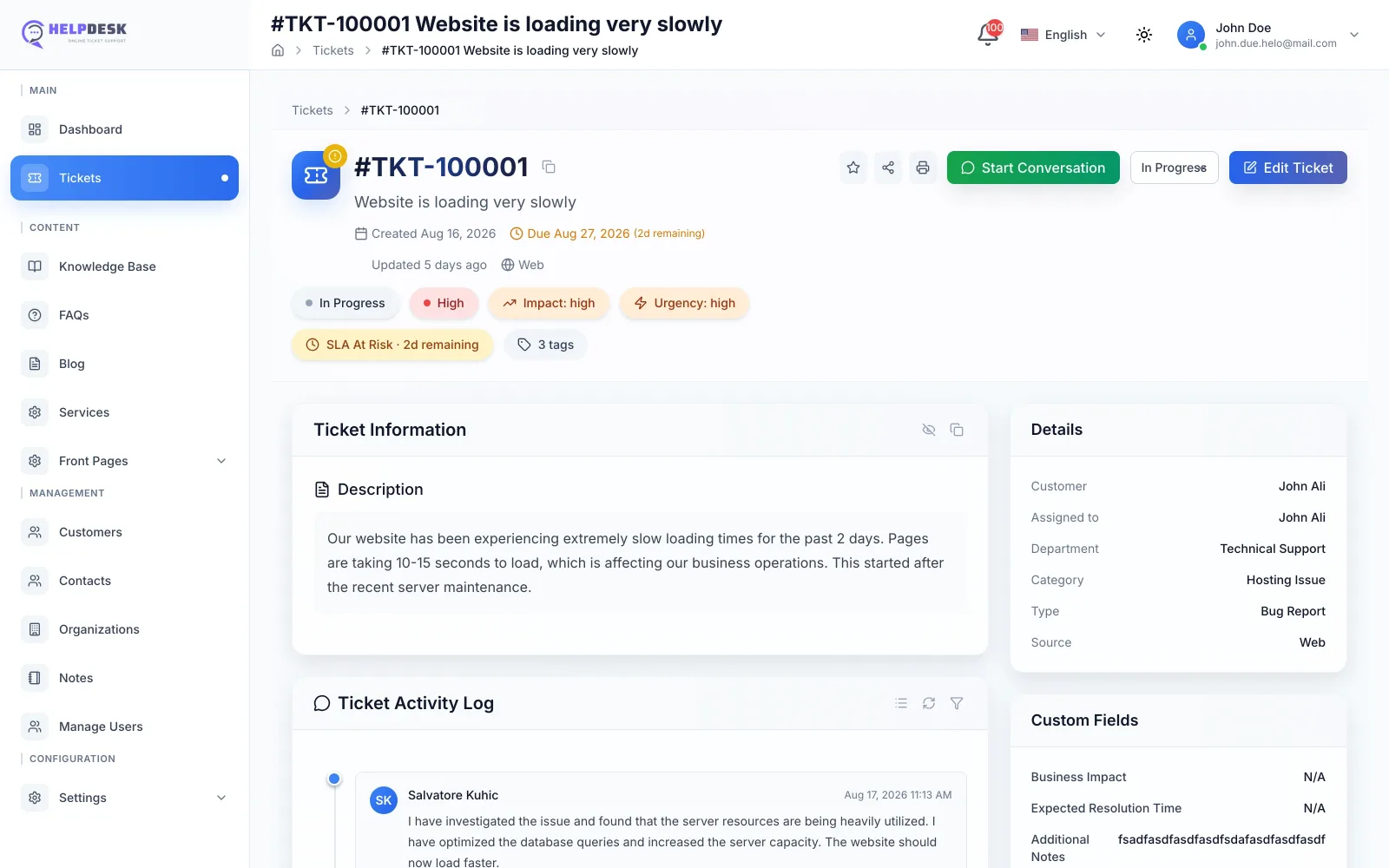
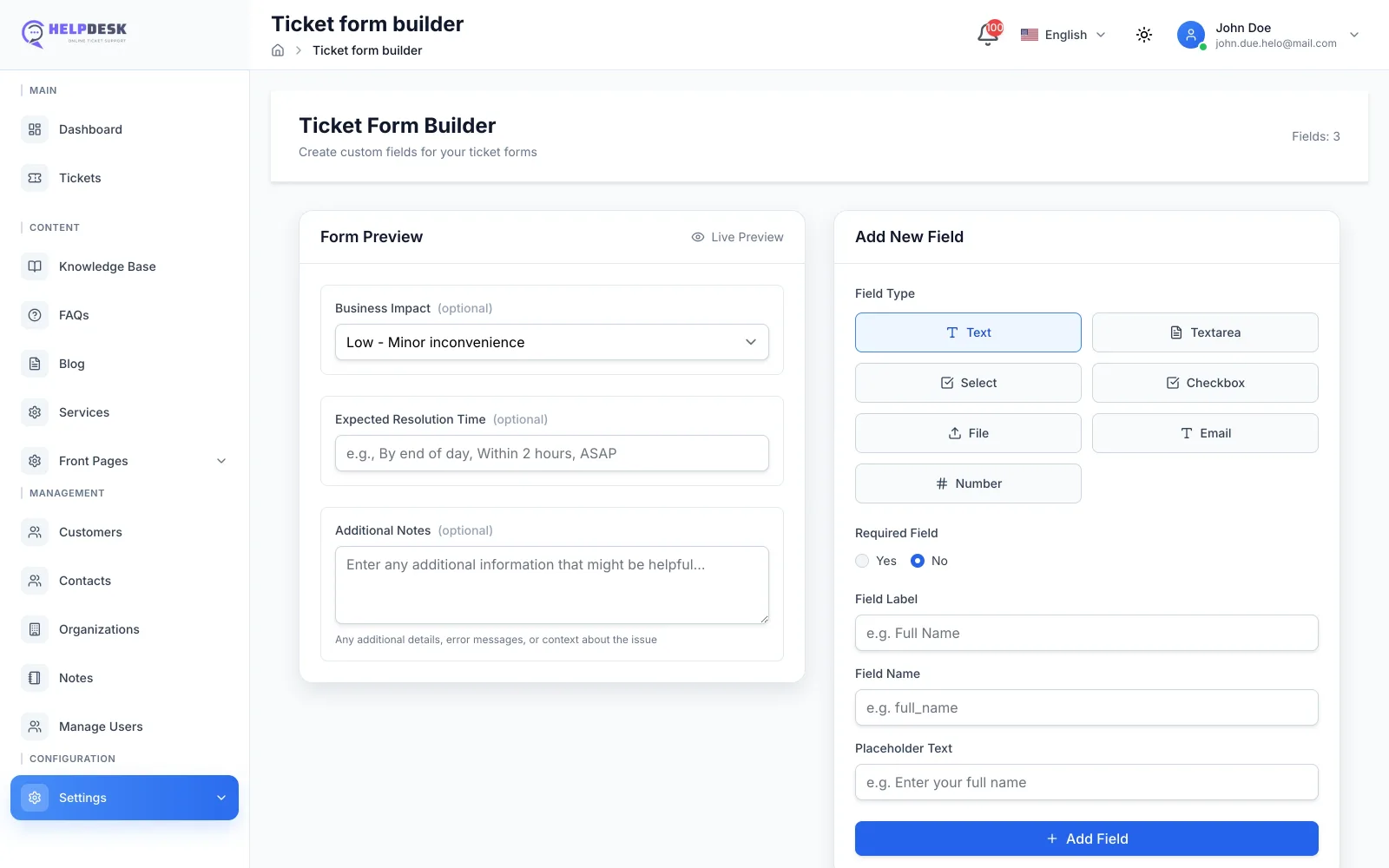
Filters, a visual custom field builder, internal notes, attachments, bulk updates, and an activity log on every conversation.
-
02
Live chat
Several conversations at once, templates, and a handoff into a ticket without losing the thread.
-
03
Self-service
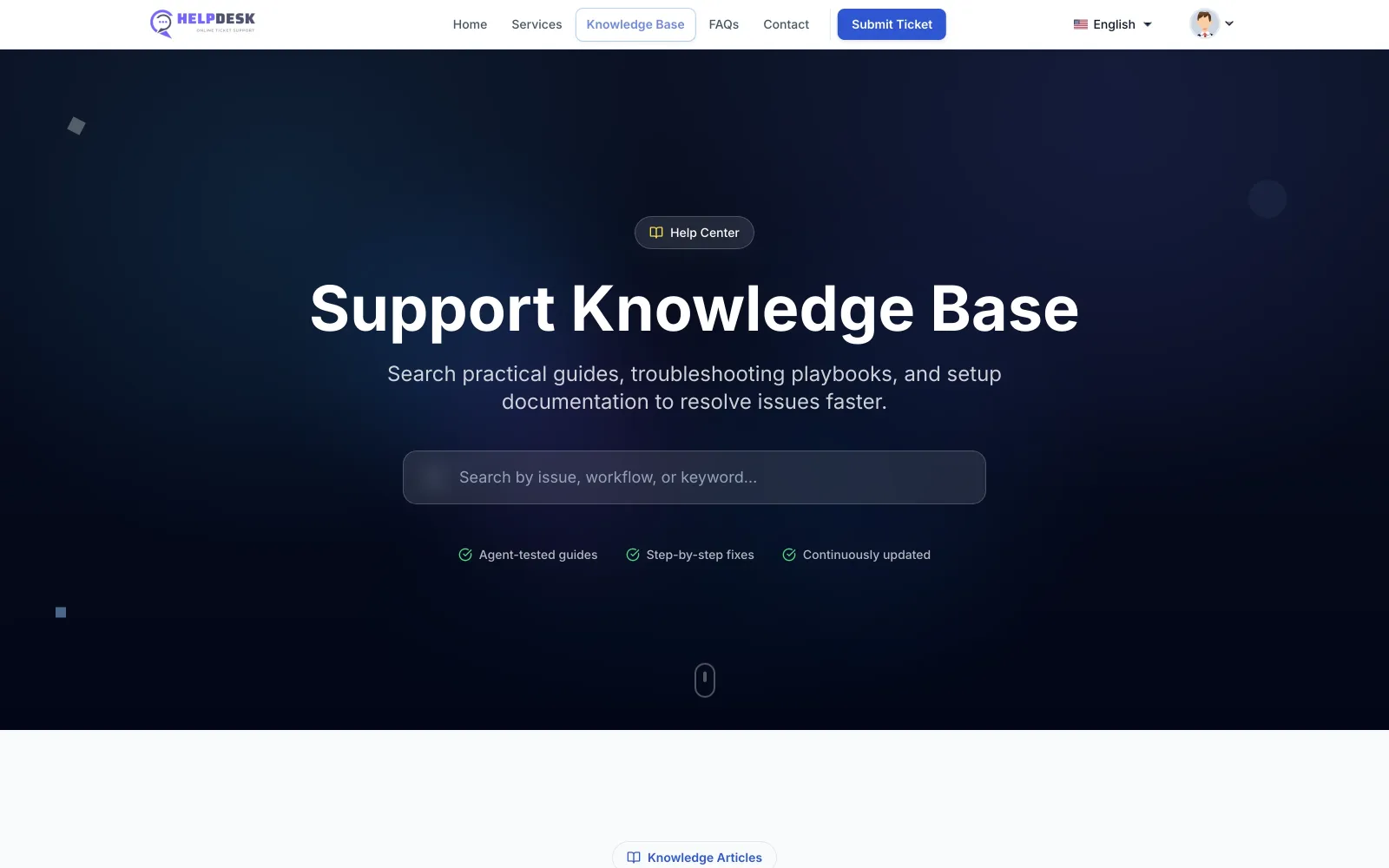
Knowledge base, FAQ, and a blog on branded Front Pages so repeat questions stay out of the queue.
-
04
Optional AI
With your OpenAI key: classification, reply drafts, sentiment, and search. Without it, the helpdesk still runs.
In the product
Inbox, chat, knowledge, then AI if you want it
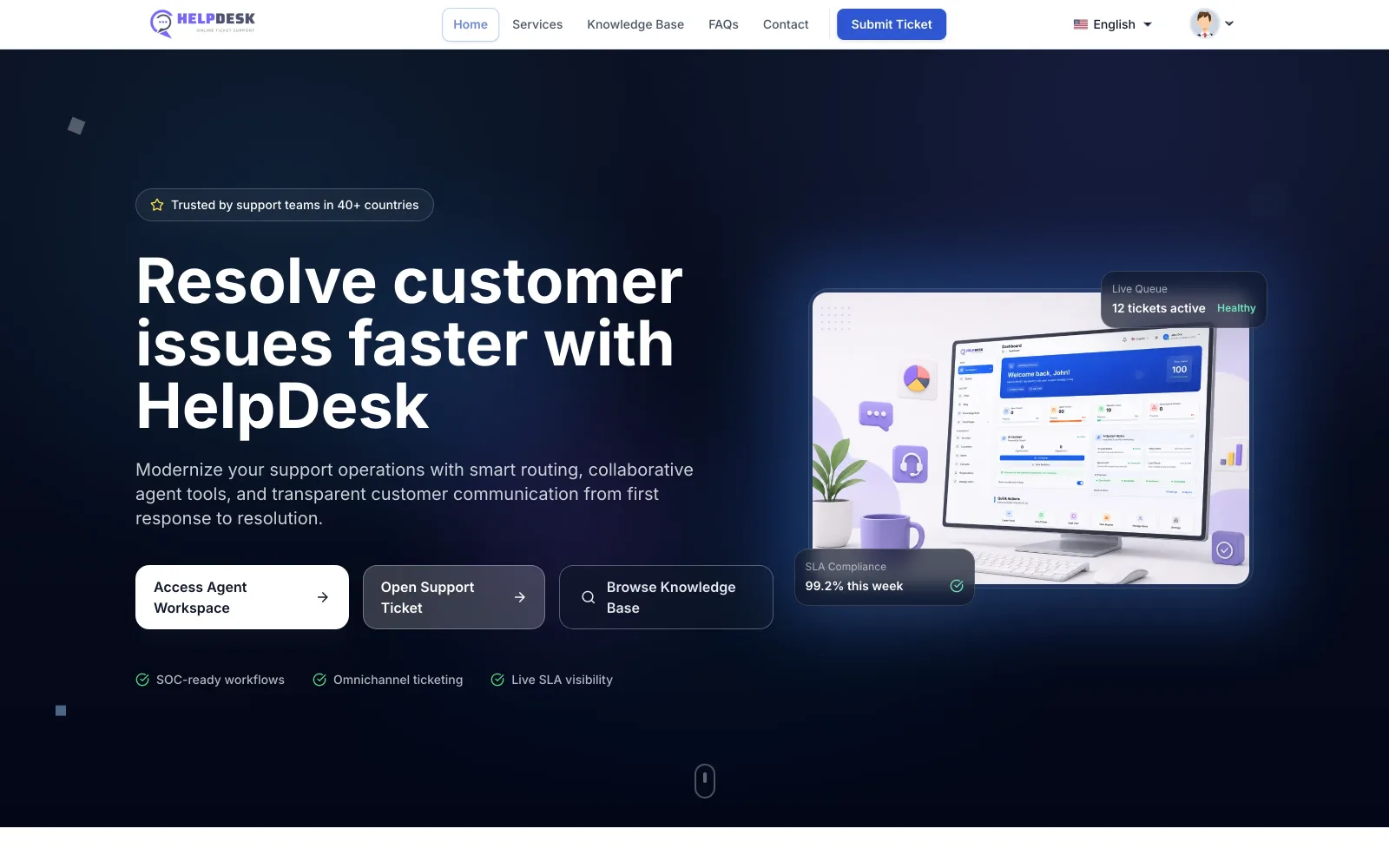
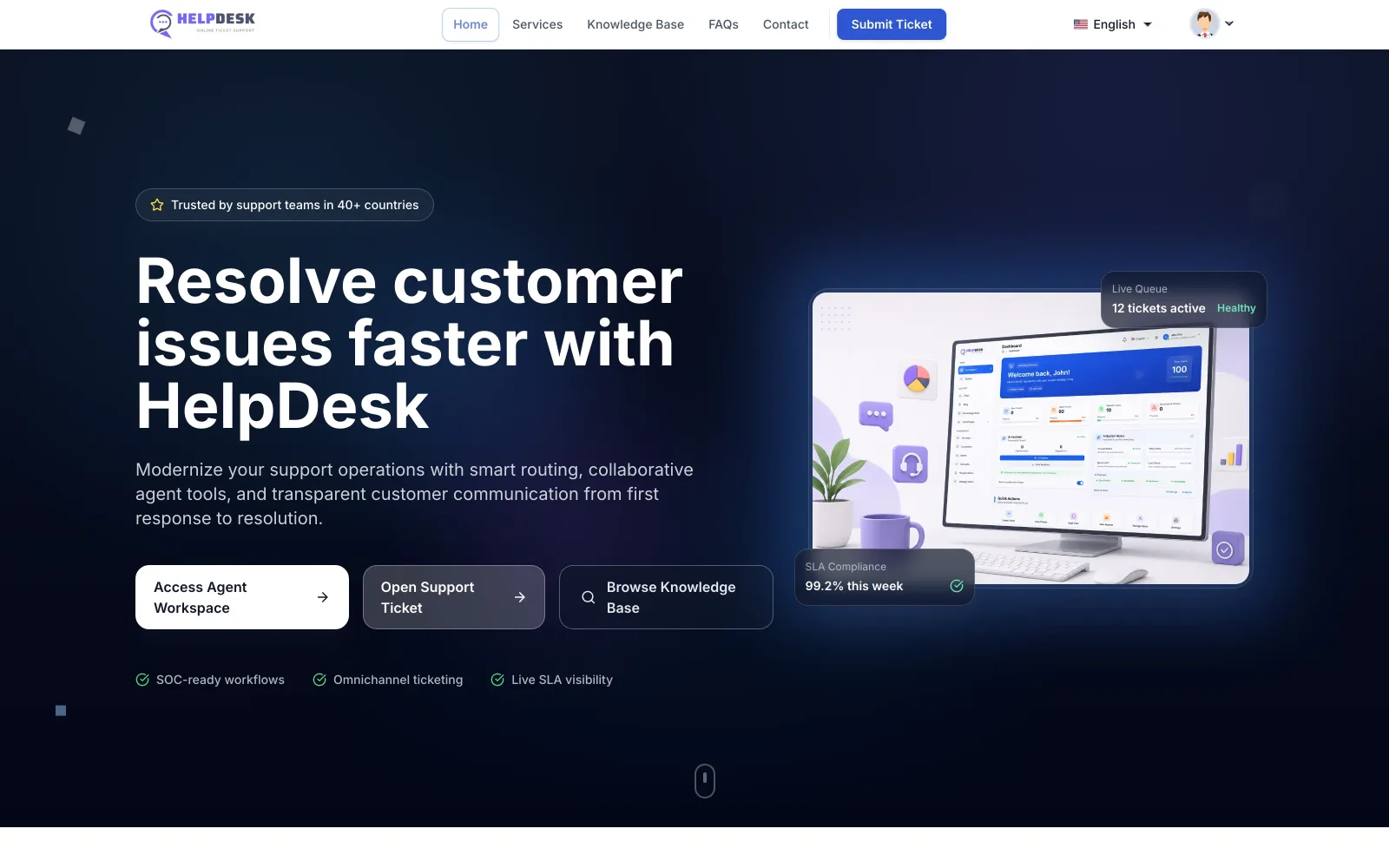
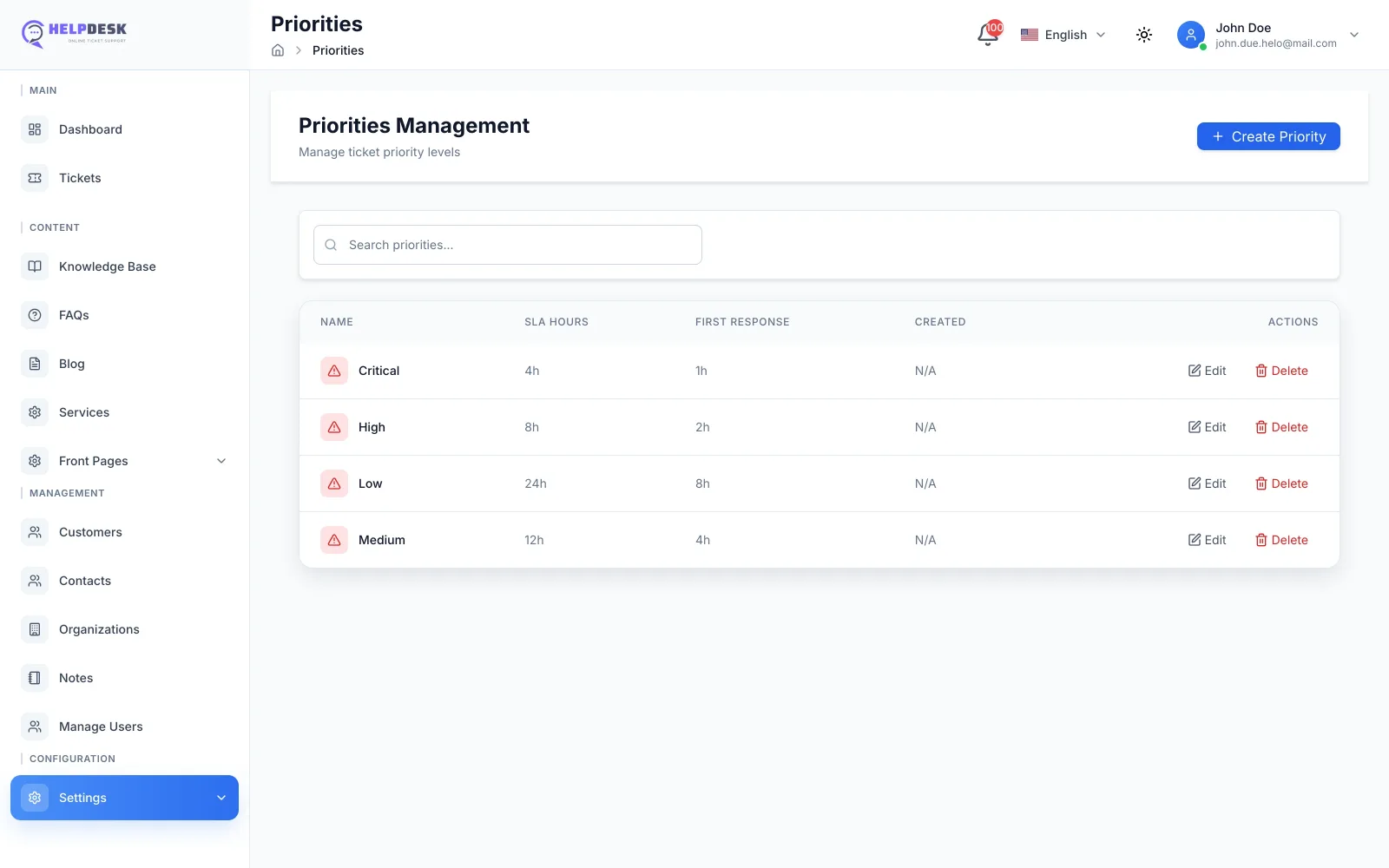
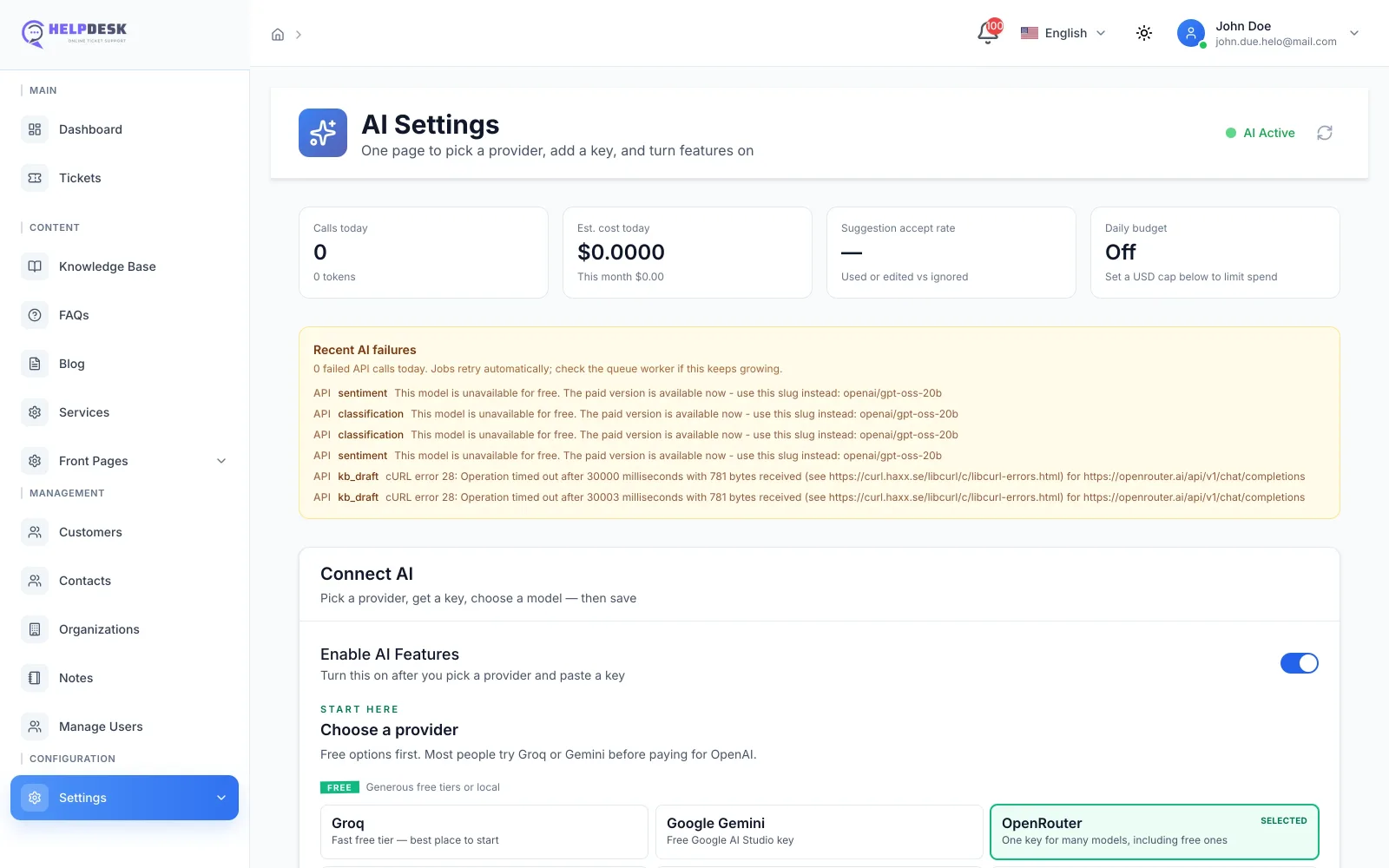
Real screens from a running install — dashboard, ticket workflow, SLA and field configuration, knowledge base, and the AI settings page.
Overview
Dashboard
What needs attention today
Volume, queues, SLA compliance, and the work that should not wait — on Laravel 12, not a SaaS login.
How it works
Create, assist, resolve, then measure
A support loop on your stack — AI steps only run when OpenAI is configured.
-
01
Ticket in
Customers write from the portal, chat, or IMAP email. Routing uses department and priority.
-
02
Assist
Agents see history, canned replies, and — if enabled — classification and draft suggestions.
-
03
Resolve
Chat, email, or the ticket thread, with internal notes so the next agent is not guessing.
-
04
Review
Dashboards for volume, response time, and agent load so staffing is not a guess.
Tickets
The full lifecycle, not a shared inbox
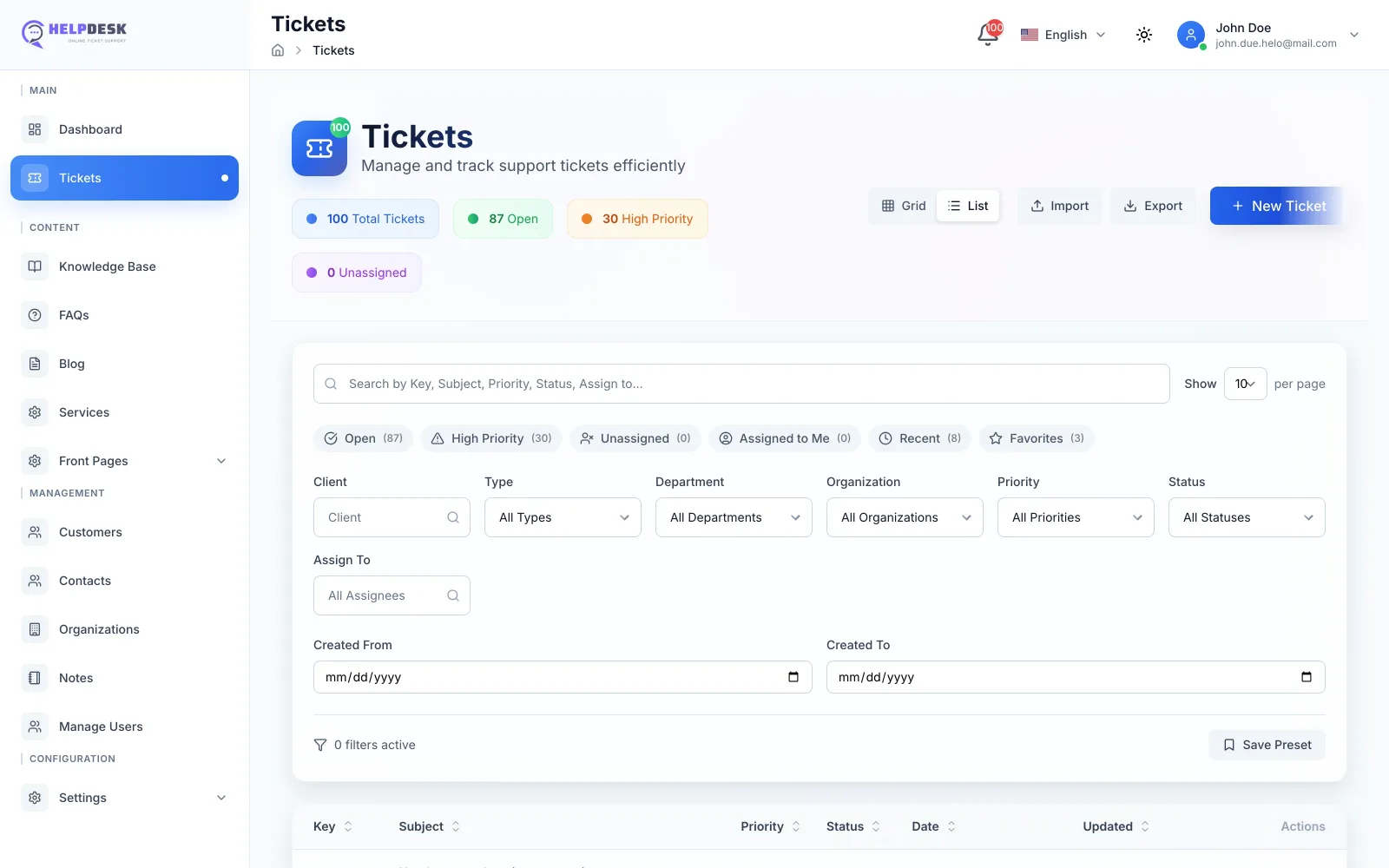
Custom fields, drag-and-drop files, private notes, bulk edits, and an audit trail — for simple questions and longer cases.
-
Views that fit the queue
Grid or list, with filters and saved sorting.
-
Work together
Internal notes stay off the customer thread.
-
Move many at once
Bulk status, priority, and department updates.
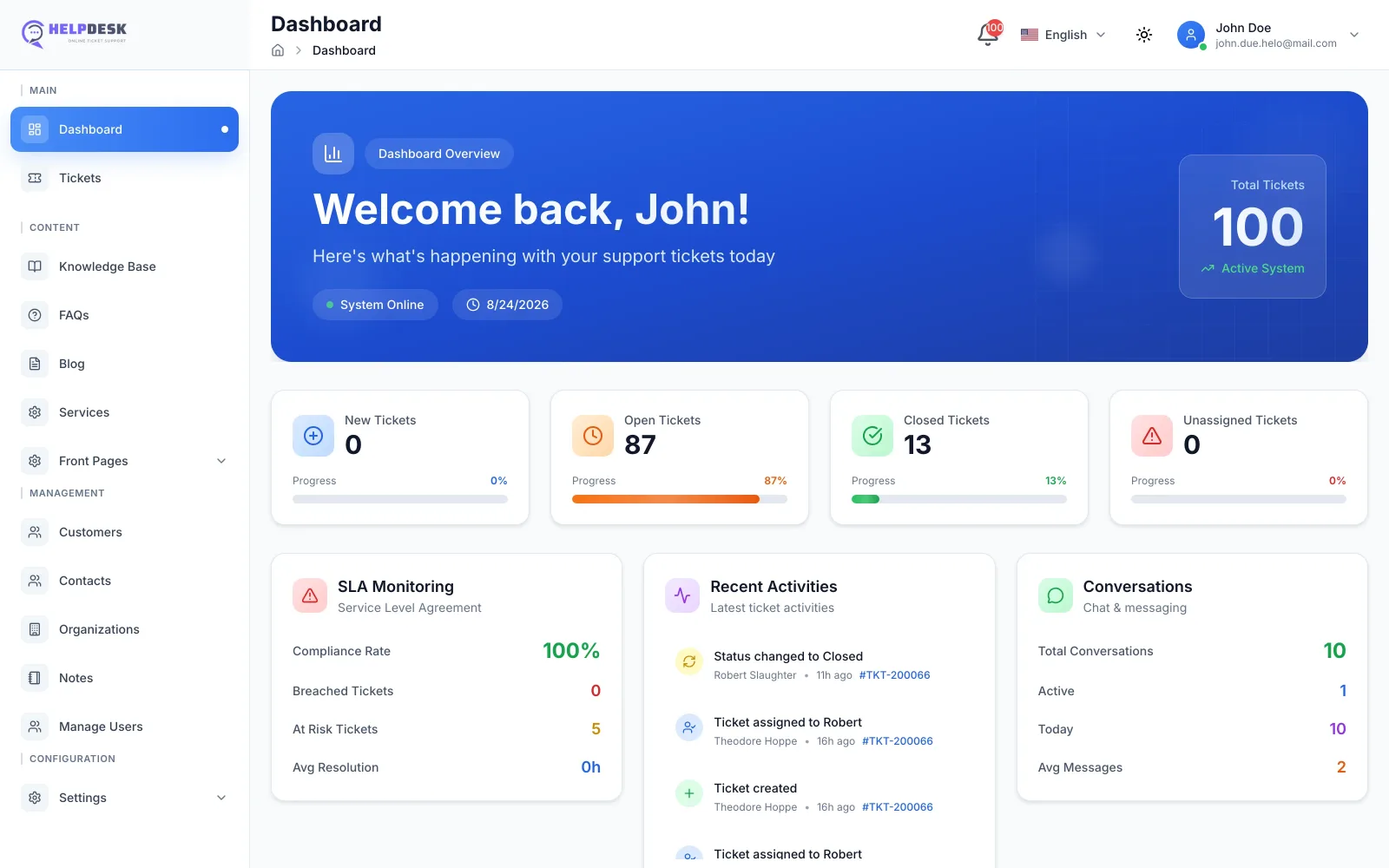
Analytics
Dashboards you can actually screenshot
Volume, response time, and agent load in one view — real numbers from a running install, not a mockup.
-
Volume
Tickets in, tickets closed, by day, department, or agent.
-
Response time
First response and resolution time against SLA targets.
-
Agent load
Open tickets per agent so work is not stacked unevenly.
Day to day
Email, departments, and replies you can reuse
-
IMAP to ticket
Incoming mail becomes a ticket with formatting kept.
-
Automation rules
Assign, notify, and escalate from criteria you set.
-
Canned replies
Templates plus optional AI drafts when a key is set.
-
SLA rules
Response and resolution targets per priority, with at-risk and breach flags.
-
Departments
Route work to the team that owns the topic.
-
Languages
15+ locales and RTL for a global agent UI.
-
Responsive UI
The same admin on a laptop or a phone.
Optional OpenAI
Assist the agent — do not replace the queue
Needs your OpenAI account. Thresholds and behavior are configurable. The helpdesk works without it.
-
Classification
Priority, department, and type with a confidence score.
-
Reply suggestions
Drafts from ticket content and history, in more than one tone.
-
Sentiment
Flag urgency and mood so unhappy threads surface sooner.
-
Volume hints
Forecast-style views to plan coverage — still your judgment.
-
Search
Look across tickets, articles, and conversations in one query.
-
Your key
Simple API setup. Data stays on your server except what you send to OpenAI.
Analytics and access
-
Dashboards
Volume, response times, and agent metrics you can export.
-
Roles & departments
RBAC, routing, activity logs, and bulk user import/export.
Stack
Laravel 12, Vue 3, Inertia, Tailwind
-
Modern PHP front
Laravel 12 with Vue 3 composition API and Inertia.
-
Realtime
Chat updates via WebSockets / Pusher.
-
Installer
Guided setup with checks — still a self-hosted PHP app.
-
Baseline security
CSRF, XSS, prepared queries, RBAC, and an audit log.
Questions
Before you install
Is it a one-time purchase?
Yes. You buy a license here, download the source, and run it on your server. This store includes six months of updates and ticket support — not unlimited lifetime updates.
Can I brand the customer portal?
Yes. Front Pages in admin covers the knowledge base, blog, FAQ, and contact pages so they can match the brand.
What does it run on?
PHP, MySQL/MariaDB, and a typical LAMP/LEMP host. The app is Laravel 12 + Vue 3. Optional: OpenAI API key and Pusher for realtime chat.
Is OpenAI required?
No. Tickets, chat, and the knowledge base work without it. Classification, drafts, and sentiment need your own OpenAI key.
Where does data live?
On the server you host. Role-based access and standard Laravel protections apply. Anything you send to OpenAI follows OpenAI’s own processing.
Self-hosted support, one-time license
- Current framework
- Laravel 12
- Regular license
- $59
- Updates & support
- 6 months
- OpenAI API key
- Optional
Also included
- Ticket list with grid/list views, filters, and bulk updates
- Custom fields via a visual ticket form builder, plus attachments, internal notes, and audit trail
- Configurable SLA rules per priority, with breach and at-risk tracking
- Live chat with ticket handoff and customer history
- Knowledge base, FAQ, and blog with Front Pages branding
- IMAP email-to-ticket and notifications
- Departments, roles, and canned responses
- Optional OpenAI classification, suggestions, and sentiment
- 15+ languages and a responsive agent UI
- Dashboards for volume, response time, and agent metrics
- Guided installer on Laravel 12 + Vue 3 + Inertia
Requirements
Self-hosted: PHP, MySQL/MariaDB, a standard LAMP/LEMP stack. Optional: an OpenAI API key for AI features. Real-time chat can use Pusher/WebSockets.
Version history
-
More reliable AI replies — automatic retries mean fewer failed requests No more long waits — AI requests now respect your timeout settings instead of hanging Switch providers worry-free — settings automatically keeps your model working when you change providers Know your real AI costs — accurate spend tracking, including $0 for free models Complete knowledge drafts — AI now finishes full articles, even from long tickets Email templates stay on-brand — AI improves your emails while keeping your original design
Get the source
Run HelpDesk on your own stack
A one-time license, instant download, and six months of updates and support. Try the live demo before you buy.
- Instant download after purchase
- Regular and extended licenses
- 6 months of updates & support